Pagsmile
Dashboard Guides
Visual help
Dashboard guides
Select a topic or open a direct link from the FAQ.
10 topics
Pagsmile Payin Dashboard
02
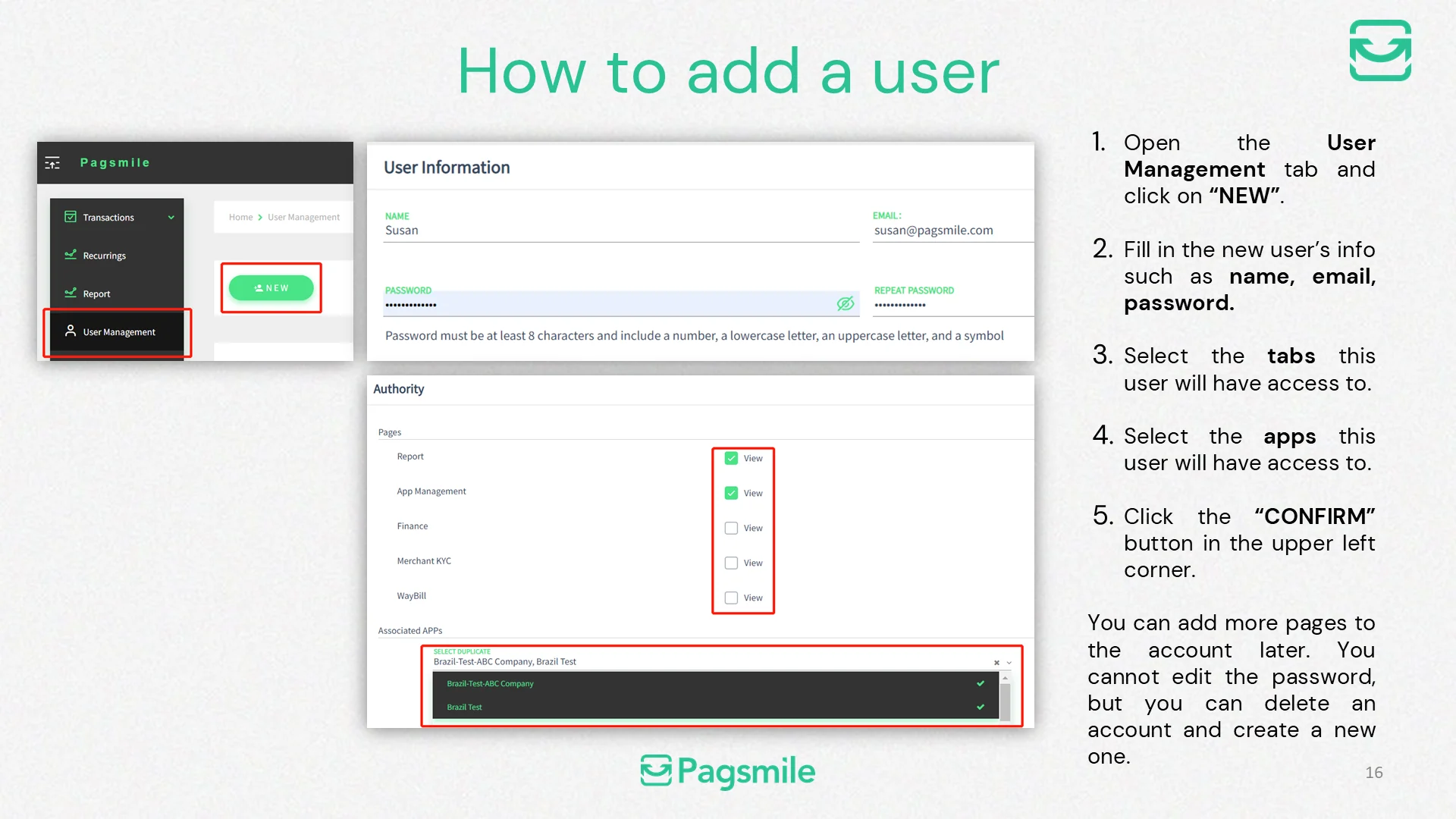
How to add a user
Copy link ↗
03
How can I find a transaction in the dashboard?
Copy link ↗
04
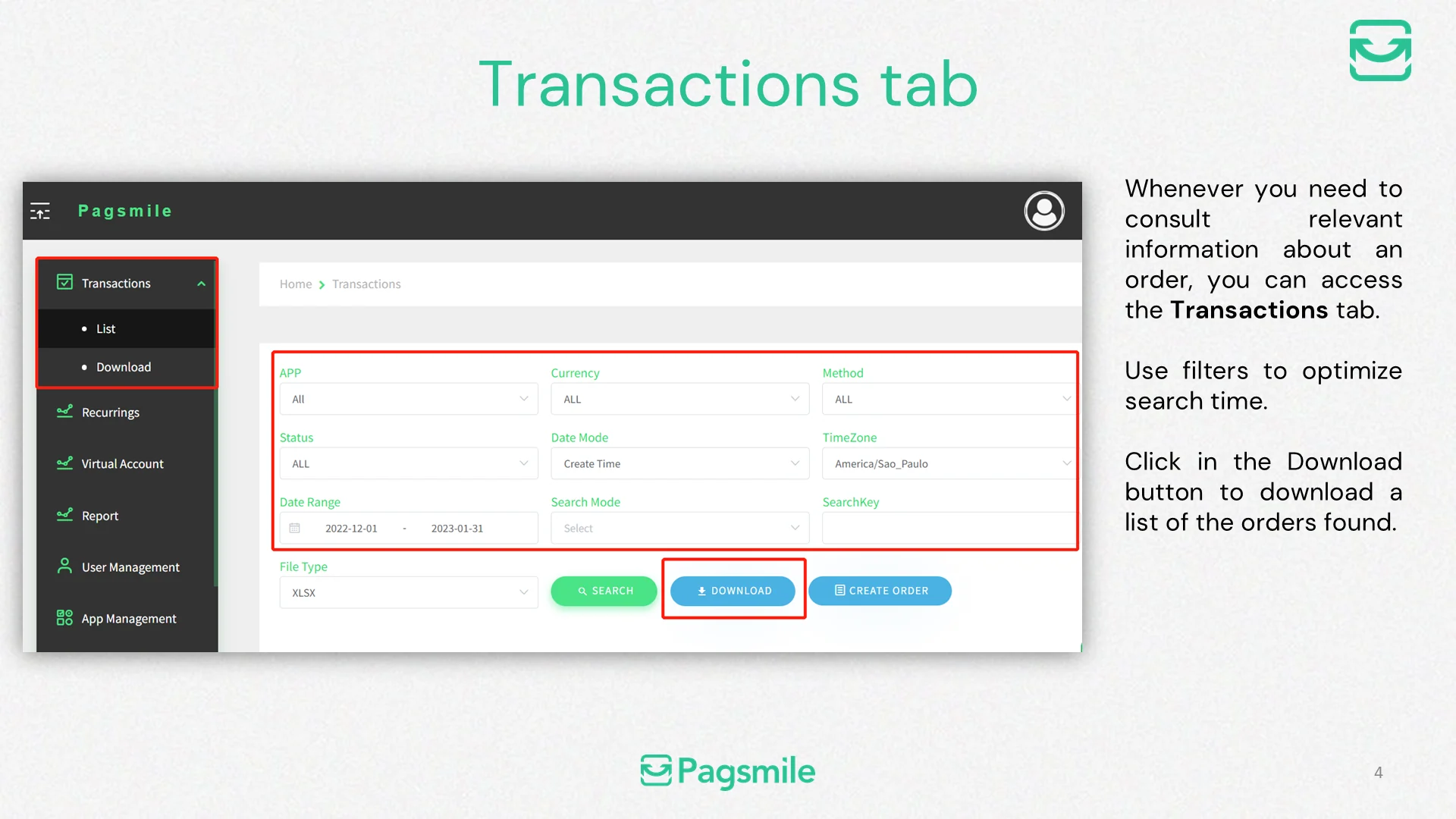
How can I download a list of transactions?
Copy link ↗
05
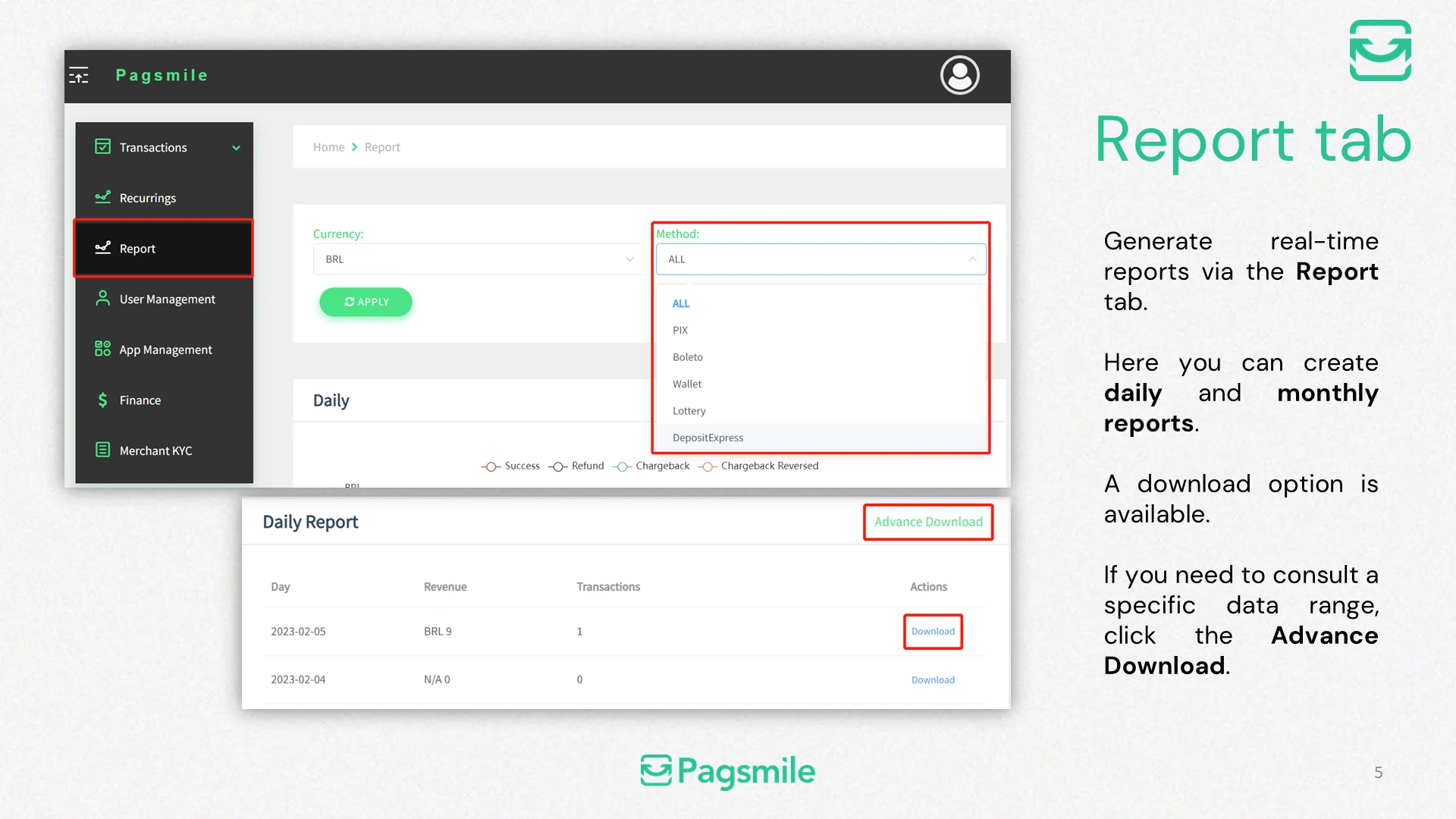
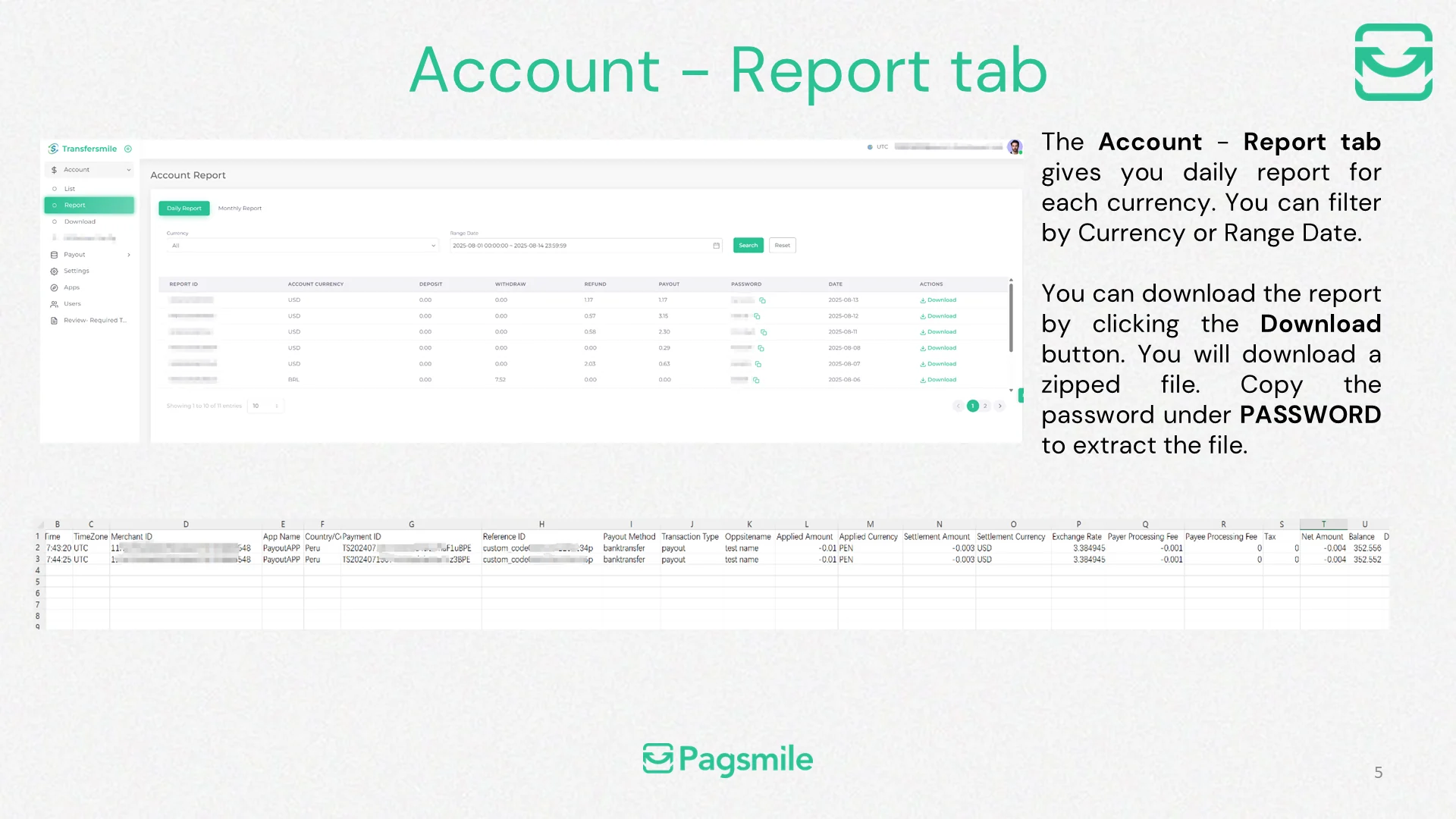
How can I generate a daily or monthly report?
Copy link ↗
06
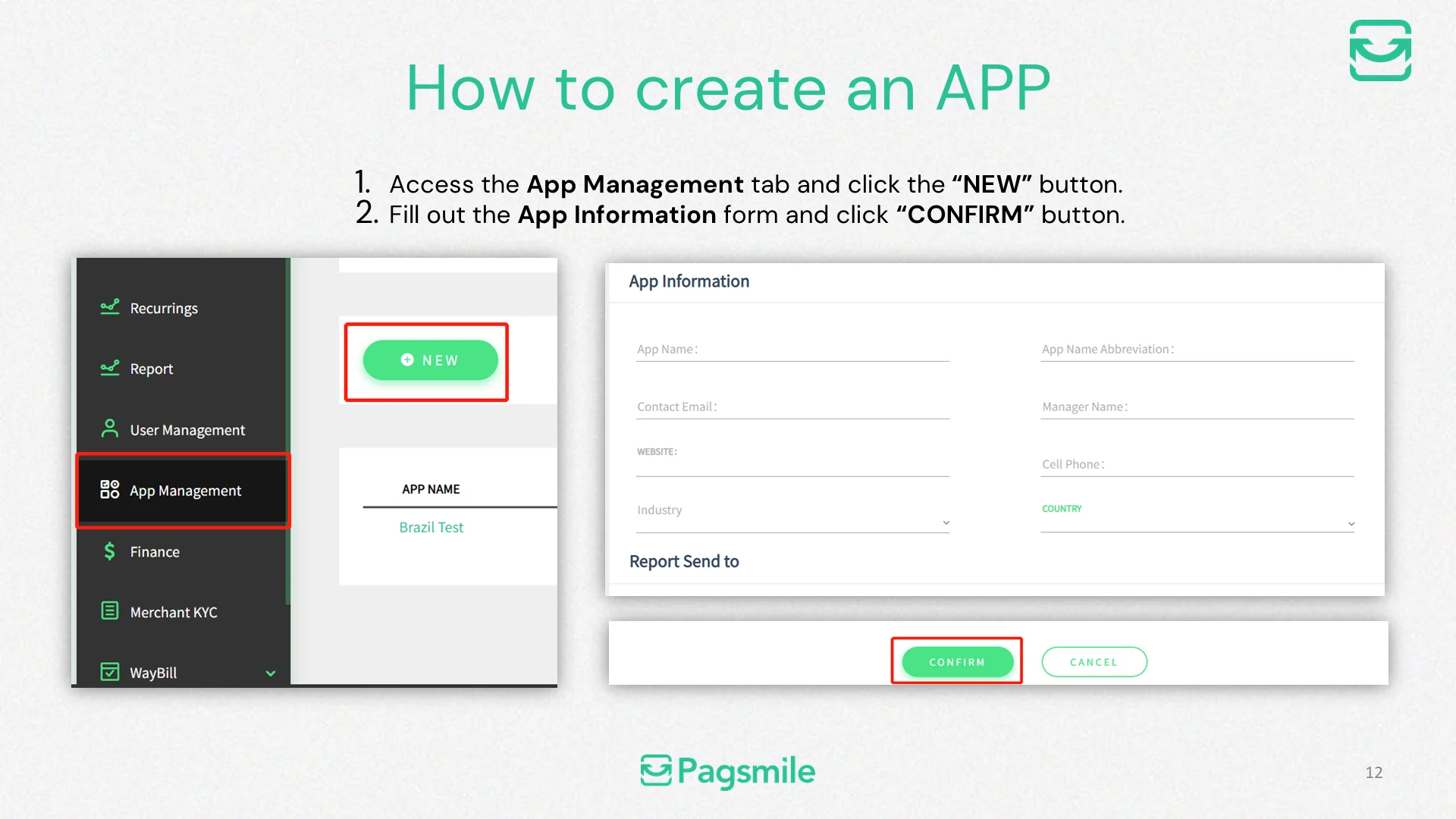
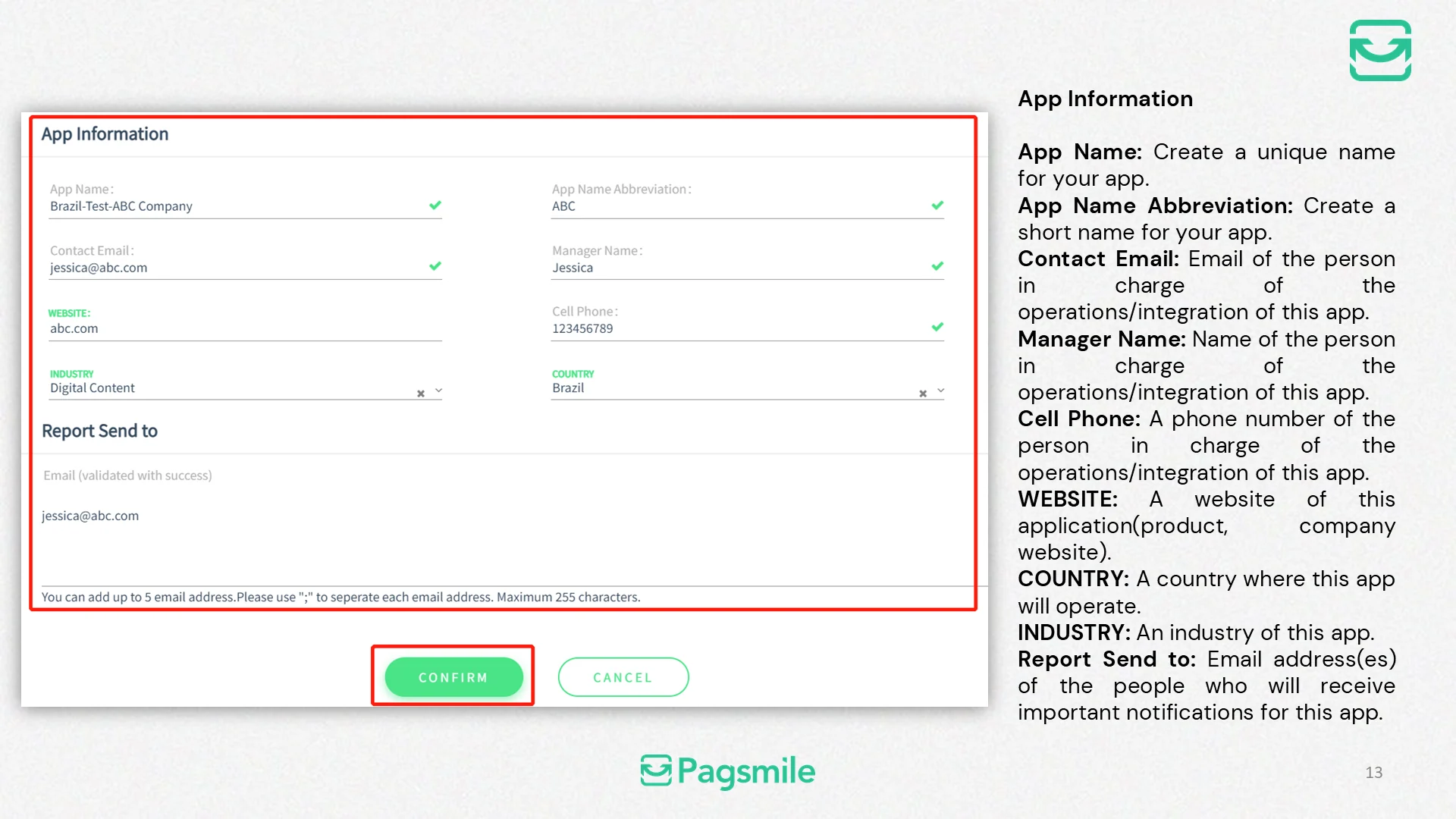
How can I create an APP?
Copy link ↗
07
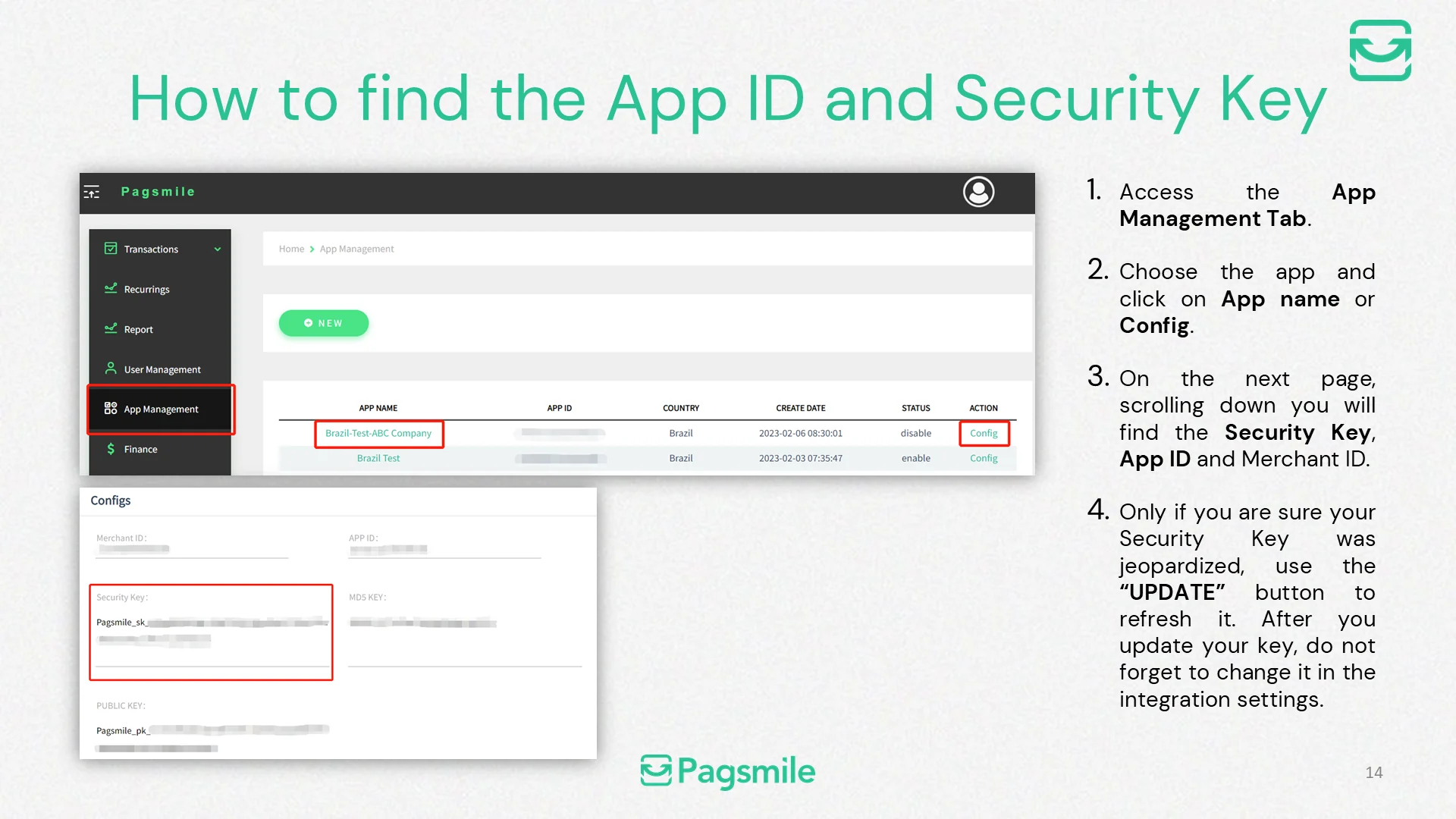
Where can I find my APP ID and Merchant ID?
Copy link ↗
08
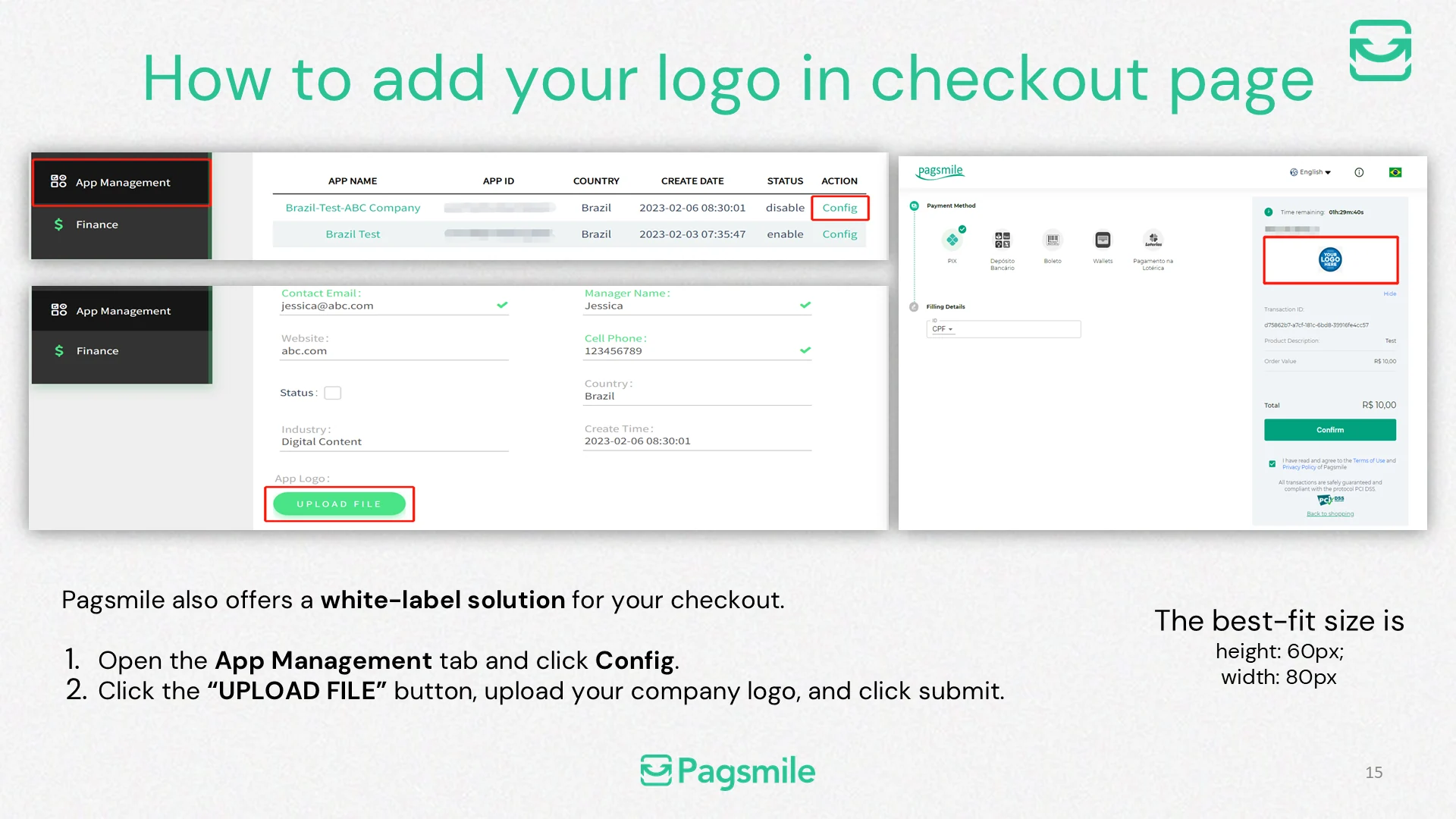
How can I add my logo to the checkout page?
Copy link ↗
09
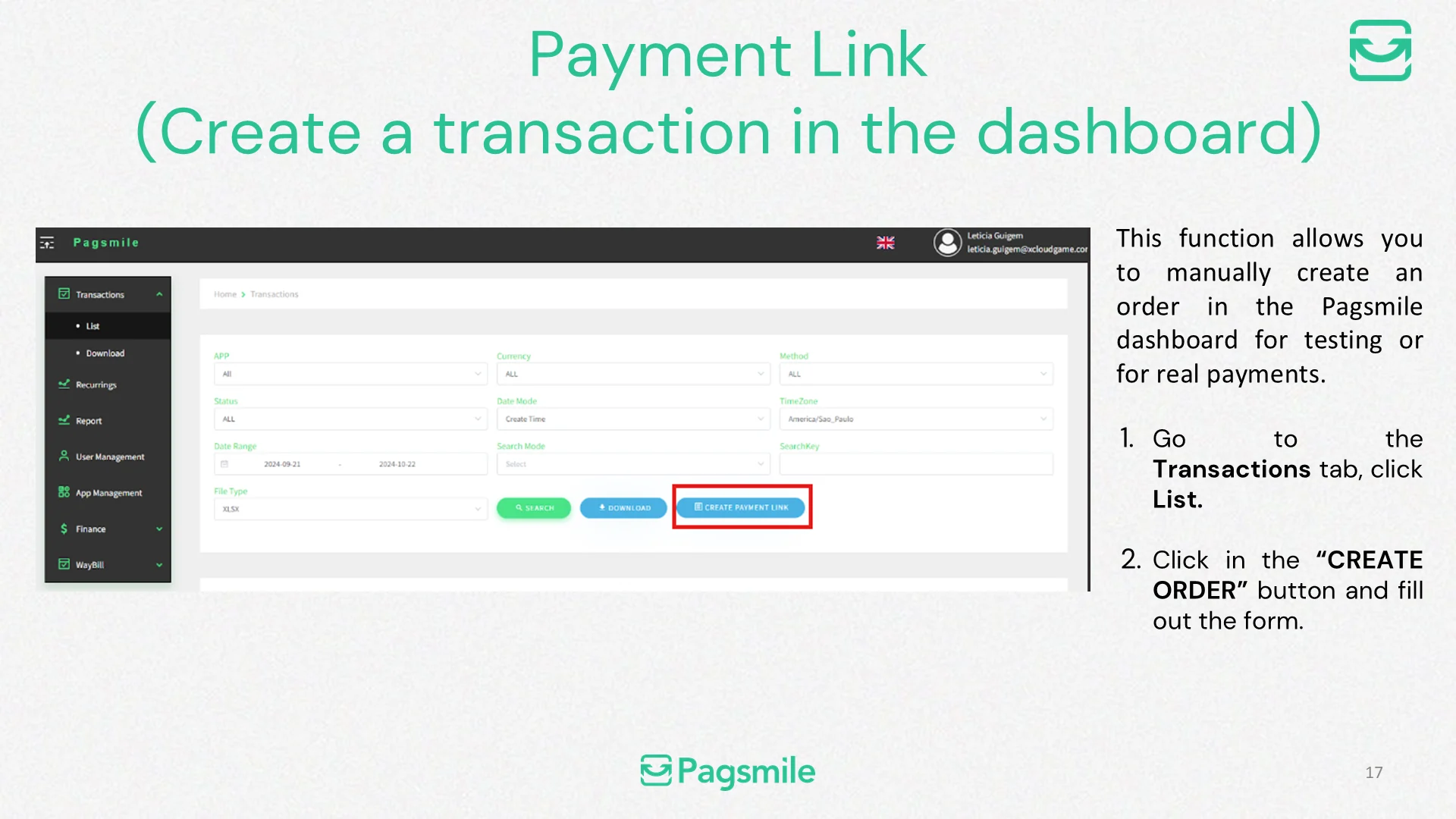
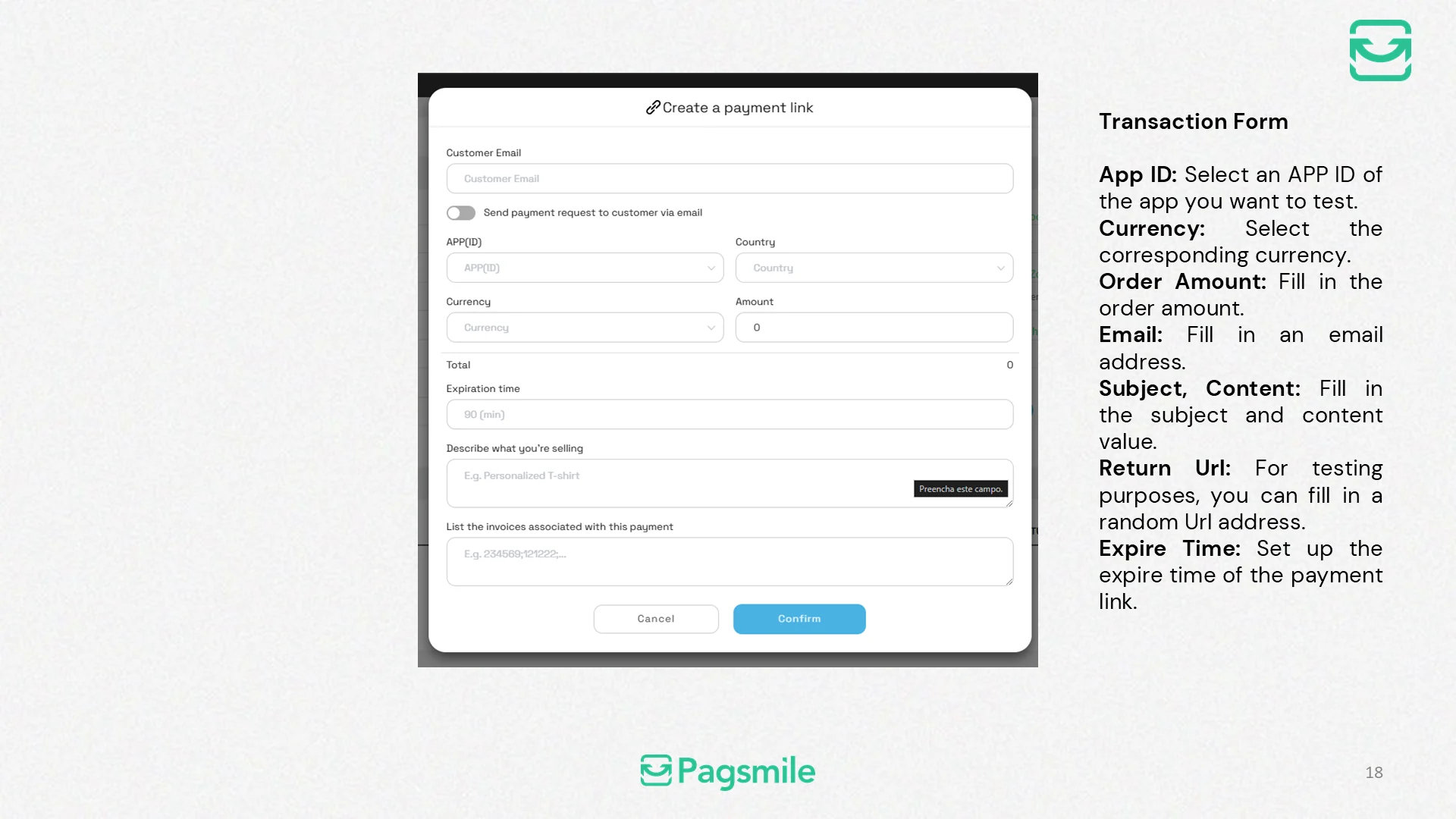
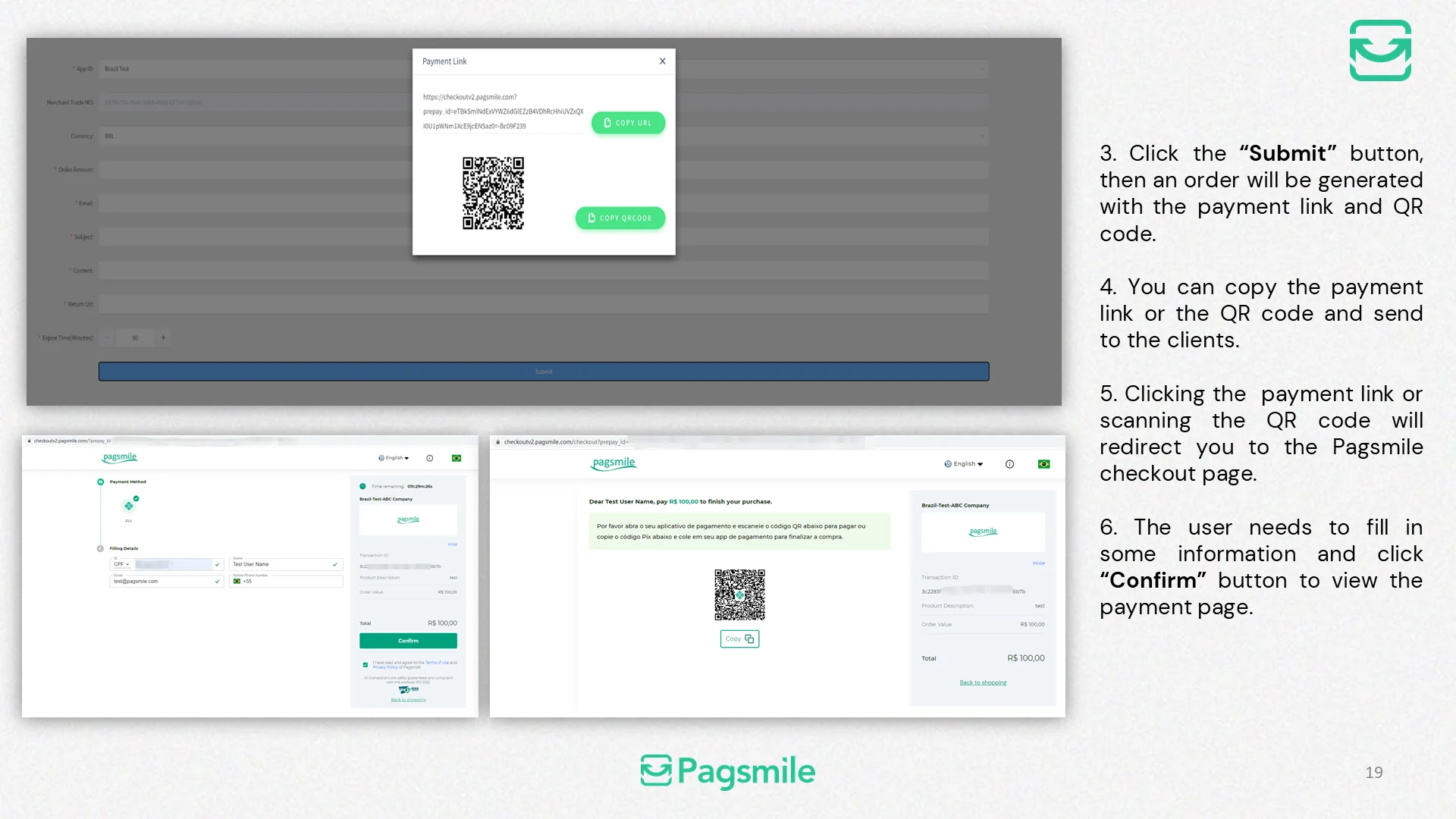
How can I create a payment link in the dashboard?
Copy link ↗
10
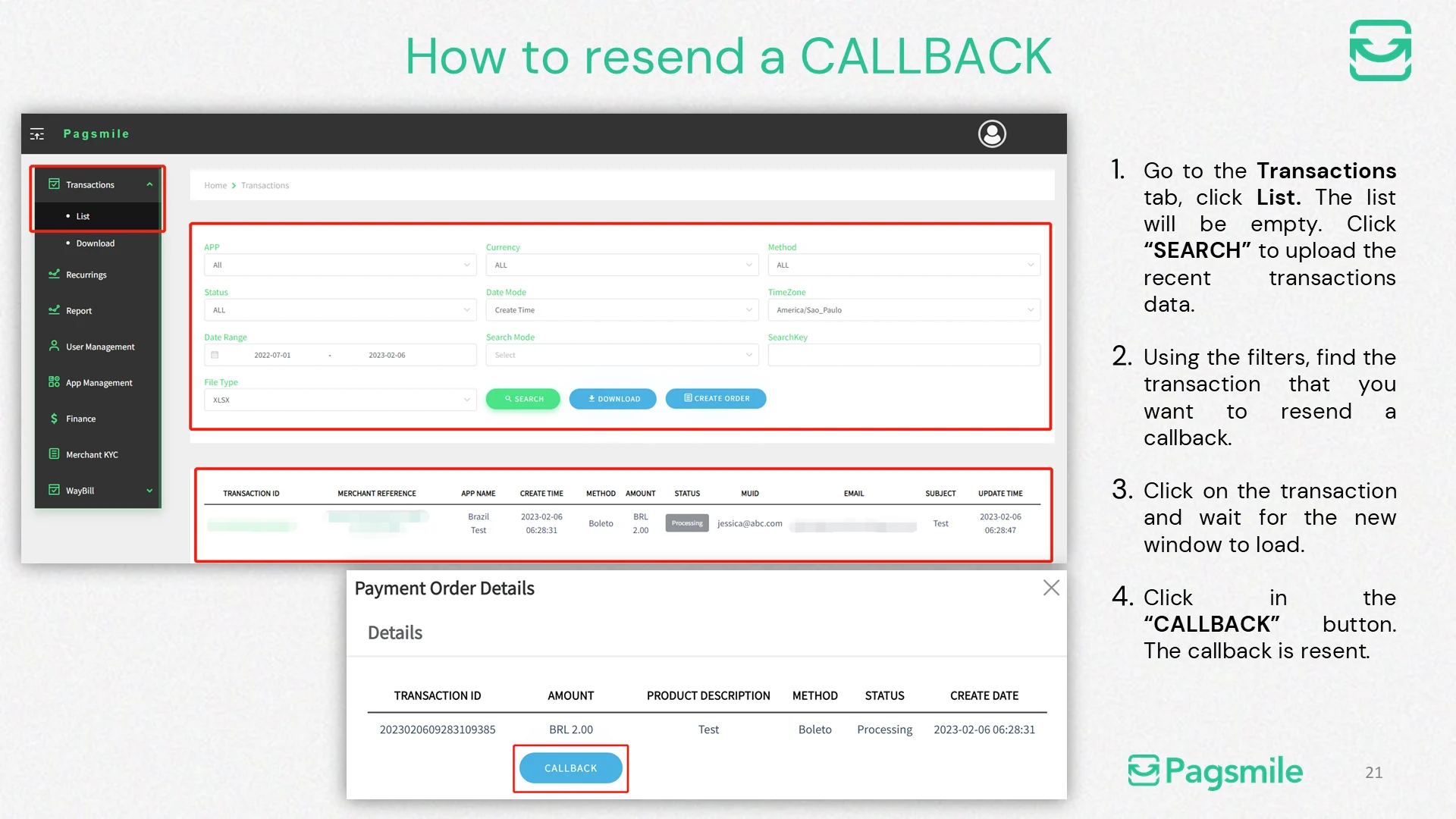
How can I resend a transaction callback?
Copy link ↗
11
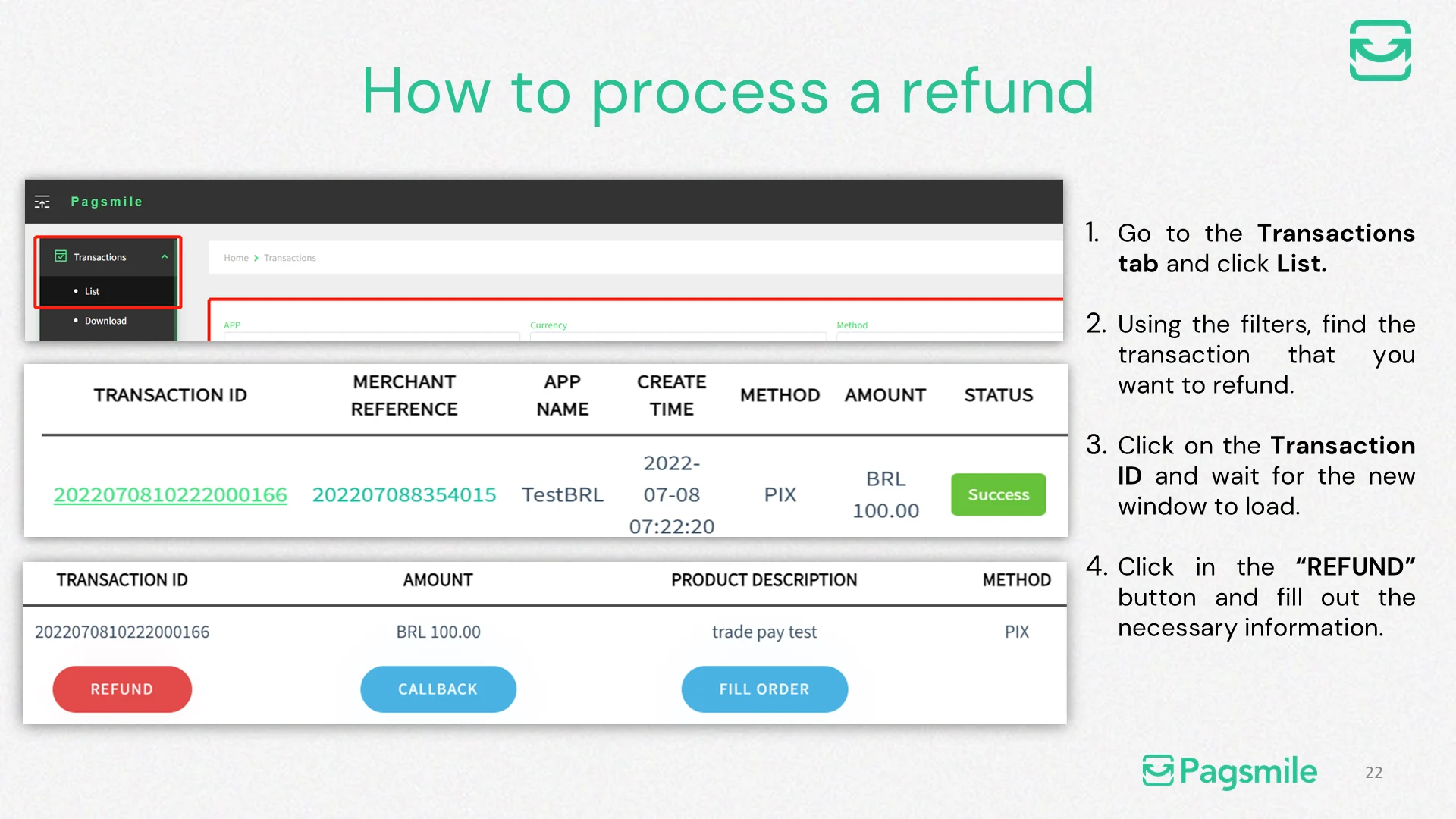
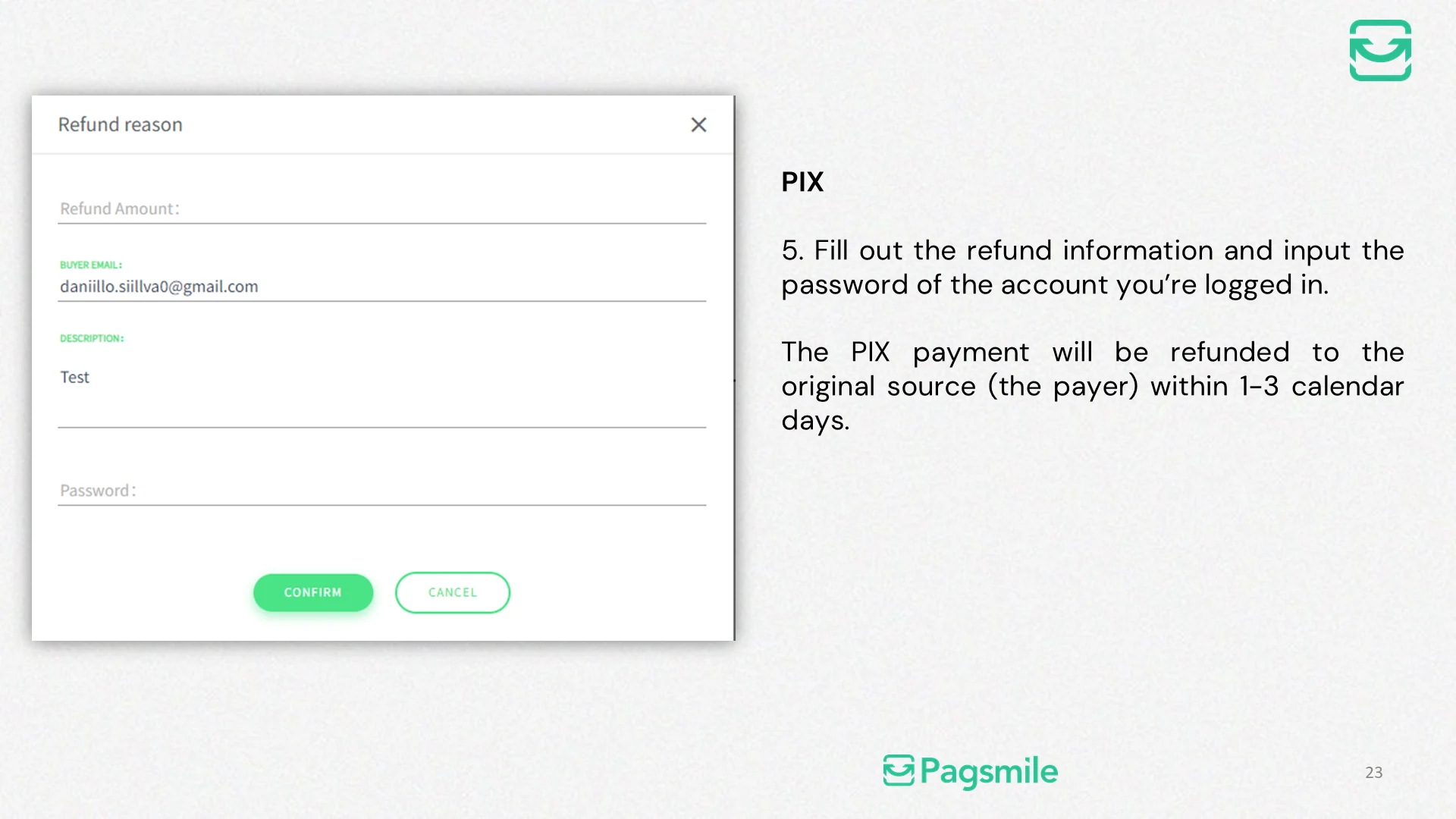
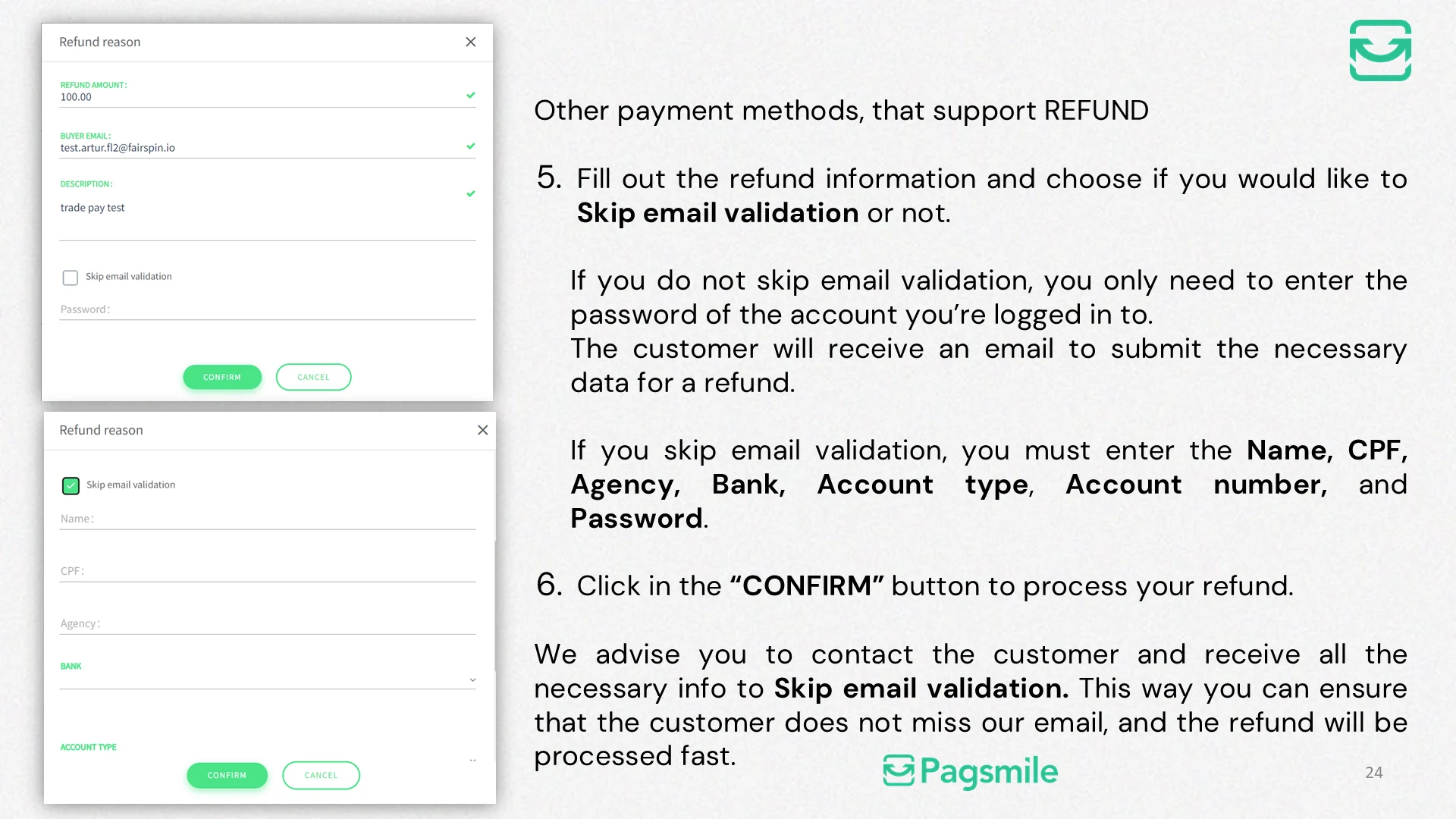
How can I request a refund from the dashboard?
Copy link ↗
20 topics
Transfersmile Payout Dashboard
16
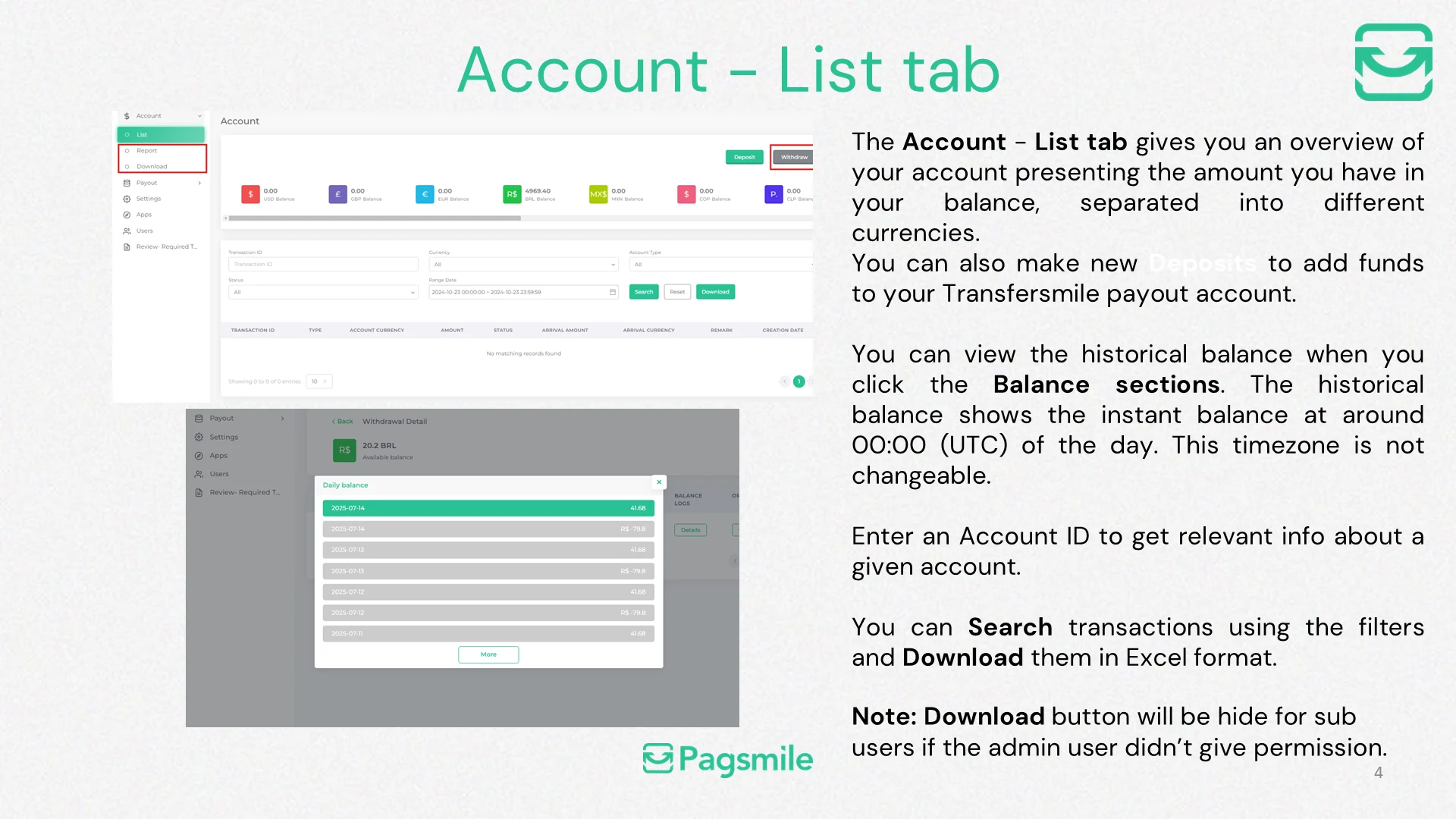
What information is available on the Account - List tab?
Copy link ↗
17
How can I download account transaction records?
Copy link ↗
18
How can I download an account report?
Copy link ↗
19
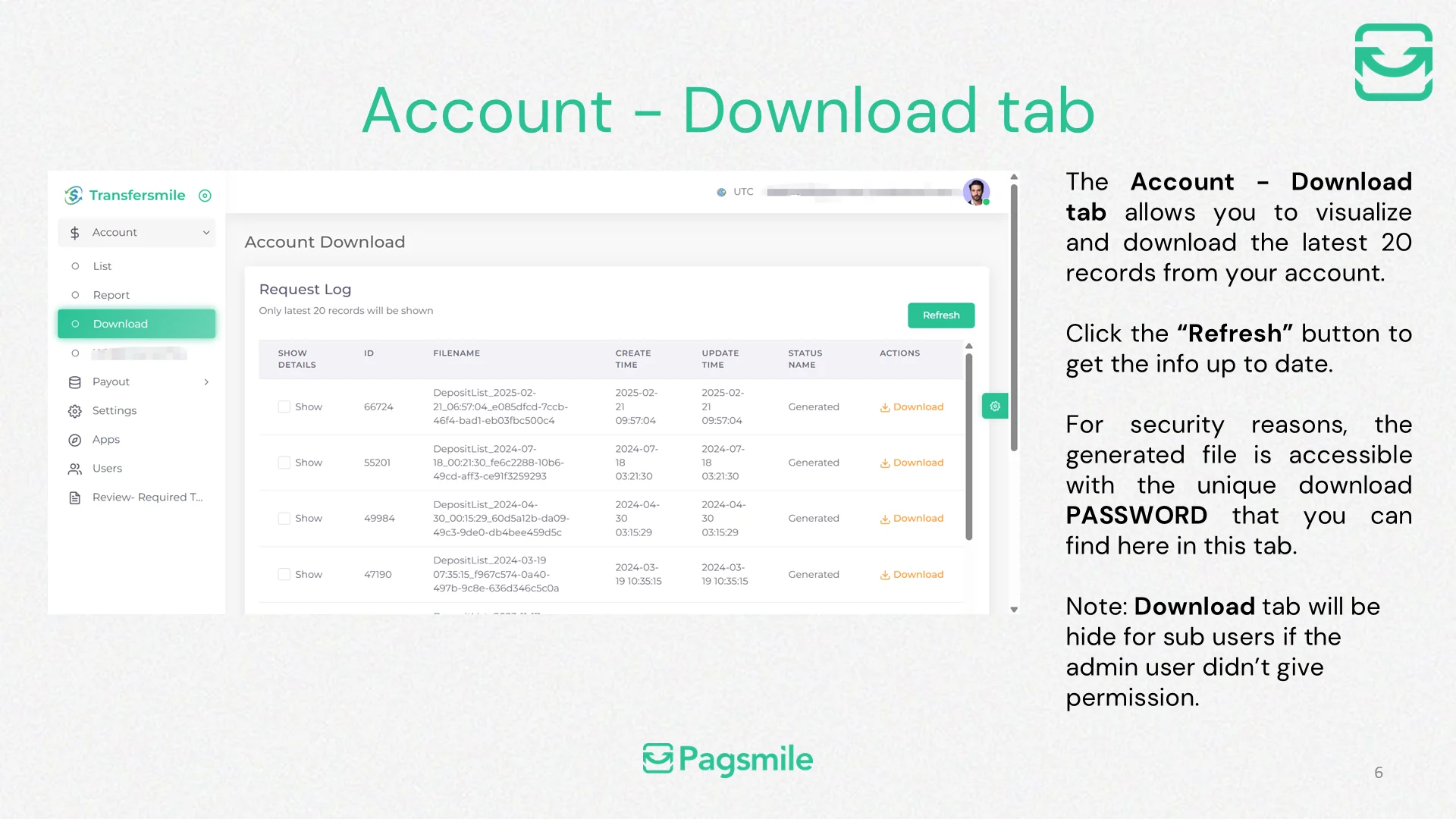
Where can I find files generated for download?
Copy link ↗
21
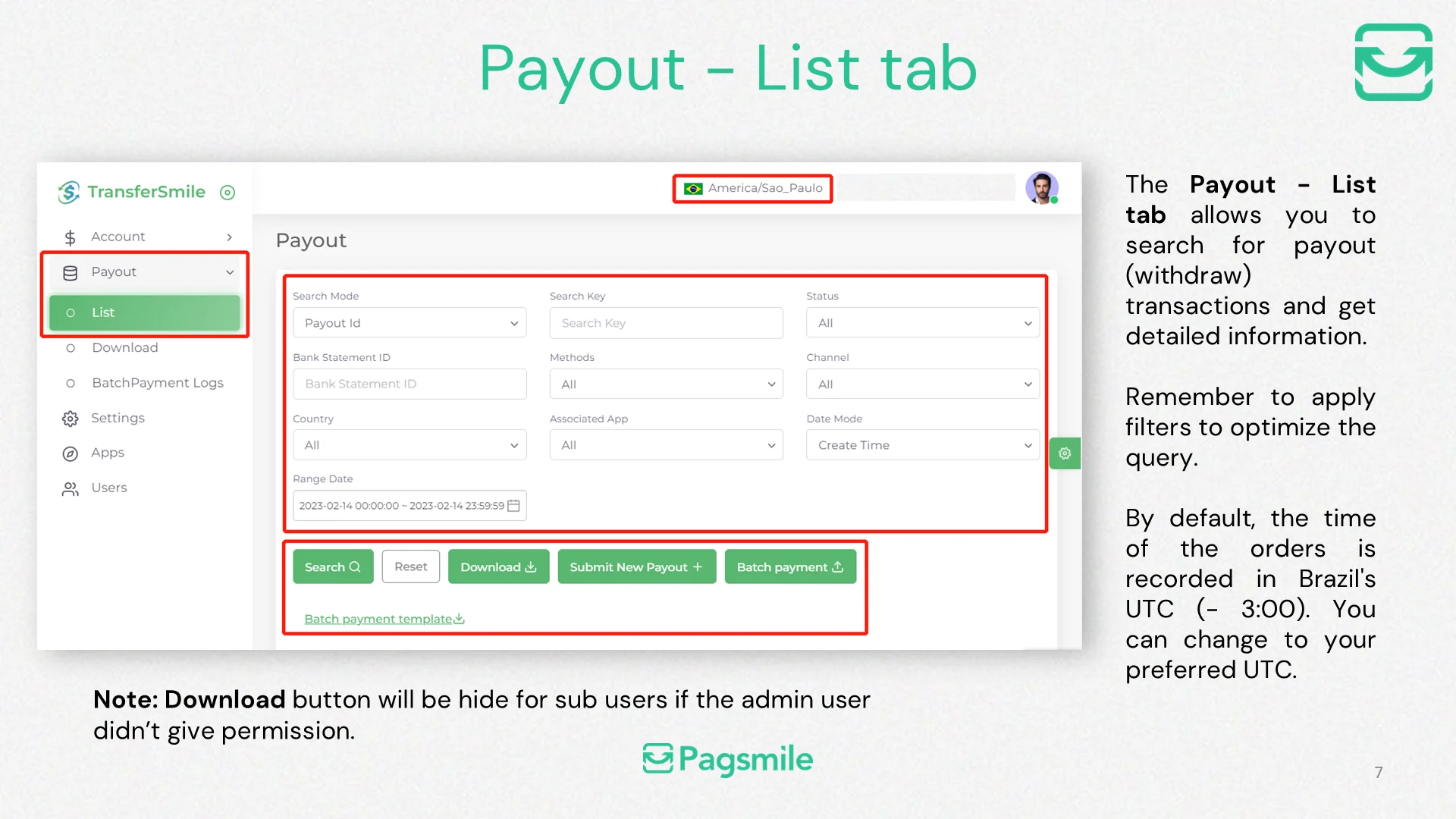
How can I find a payout transaction in the dashboard?
Copy link ↗
22
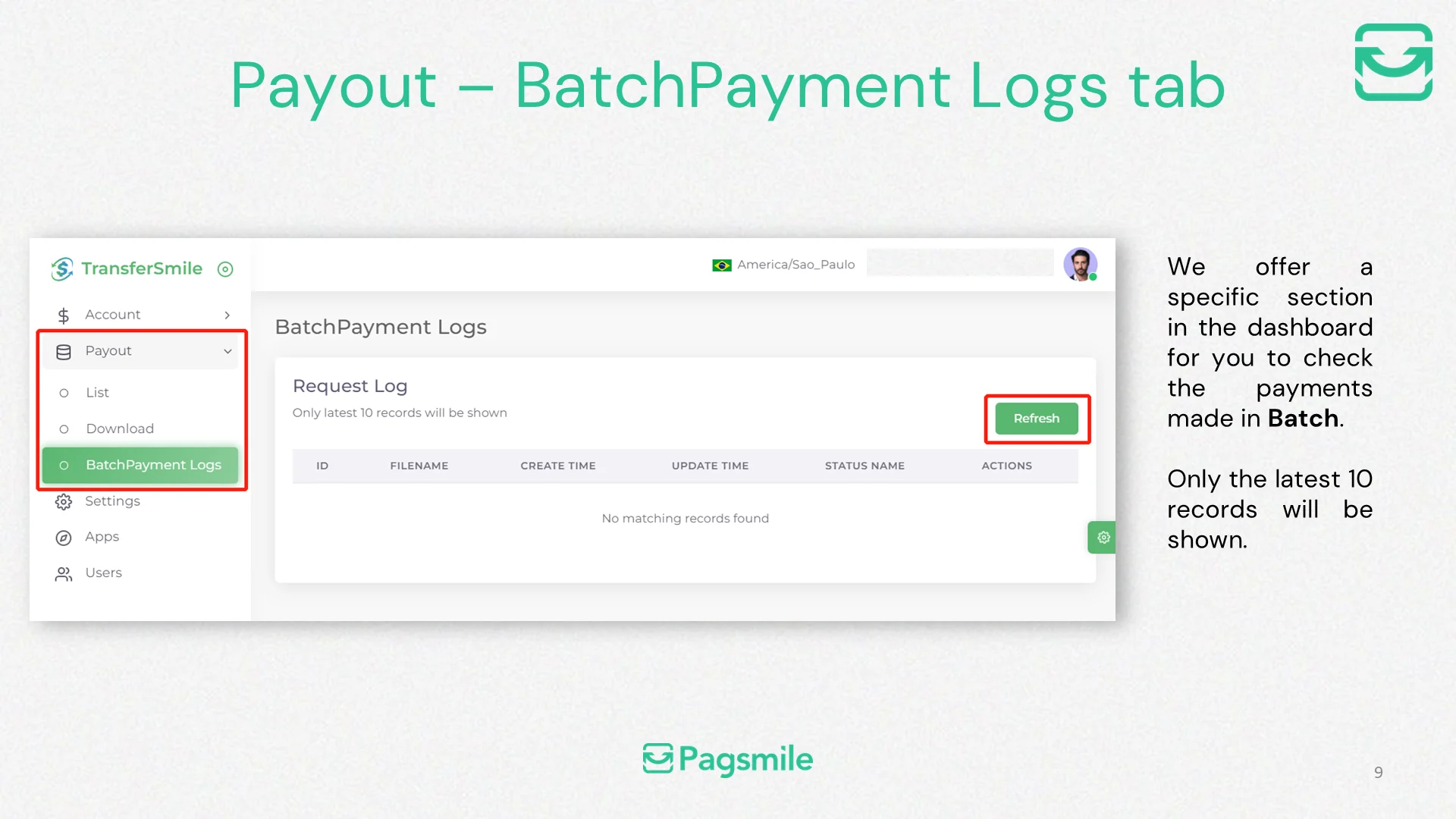
Where can I check batch payout upload results?
Copy link ↗
23
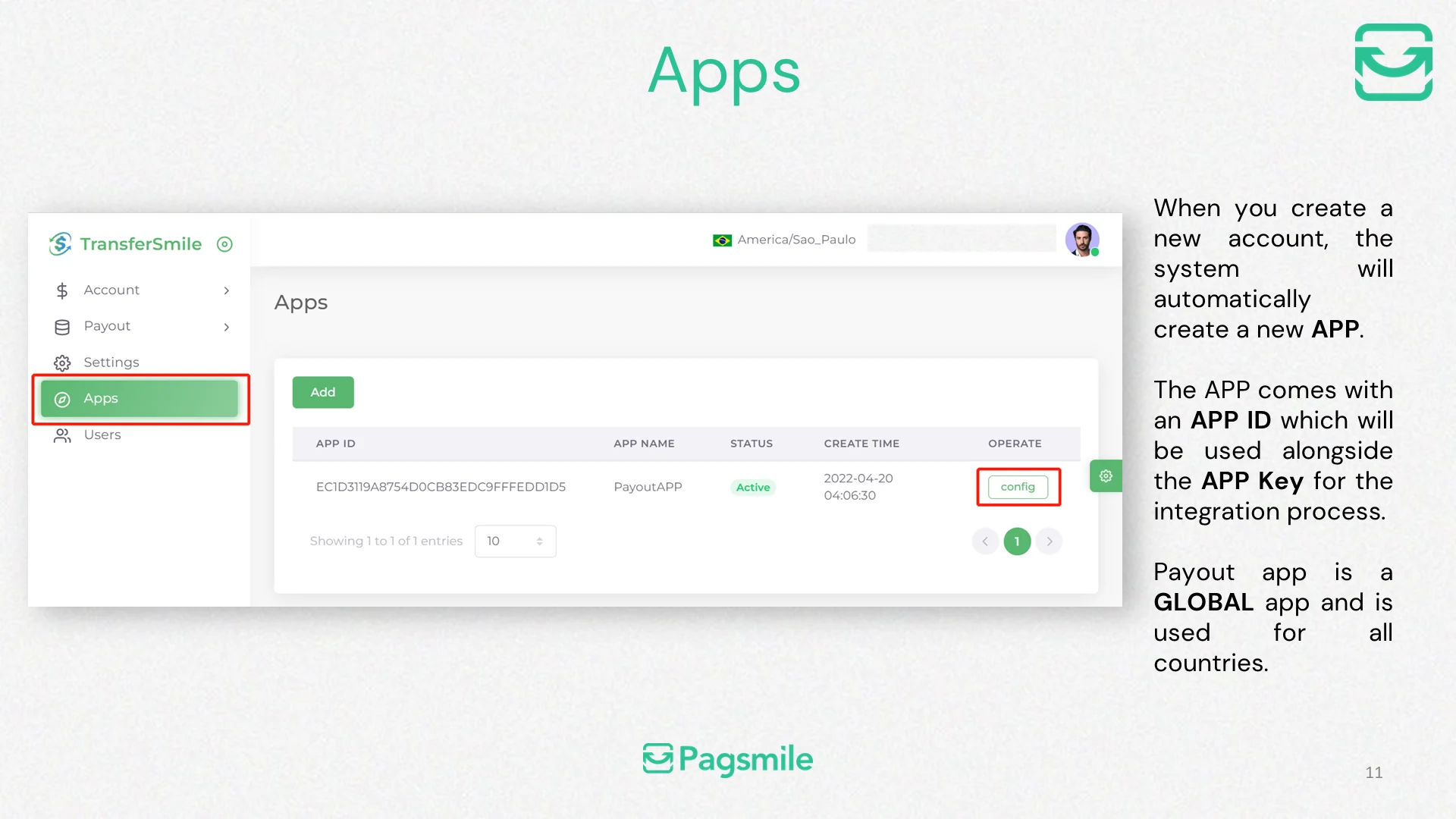
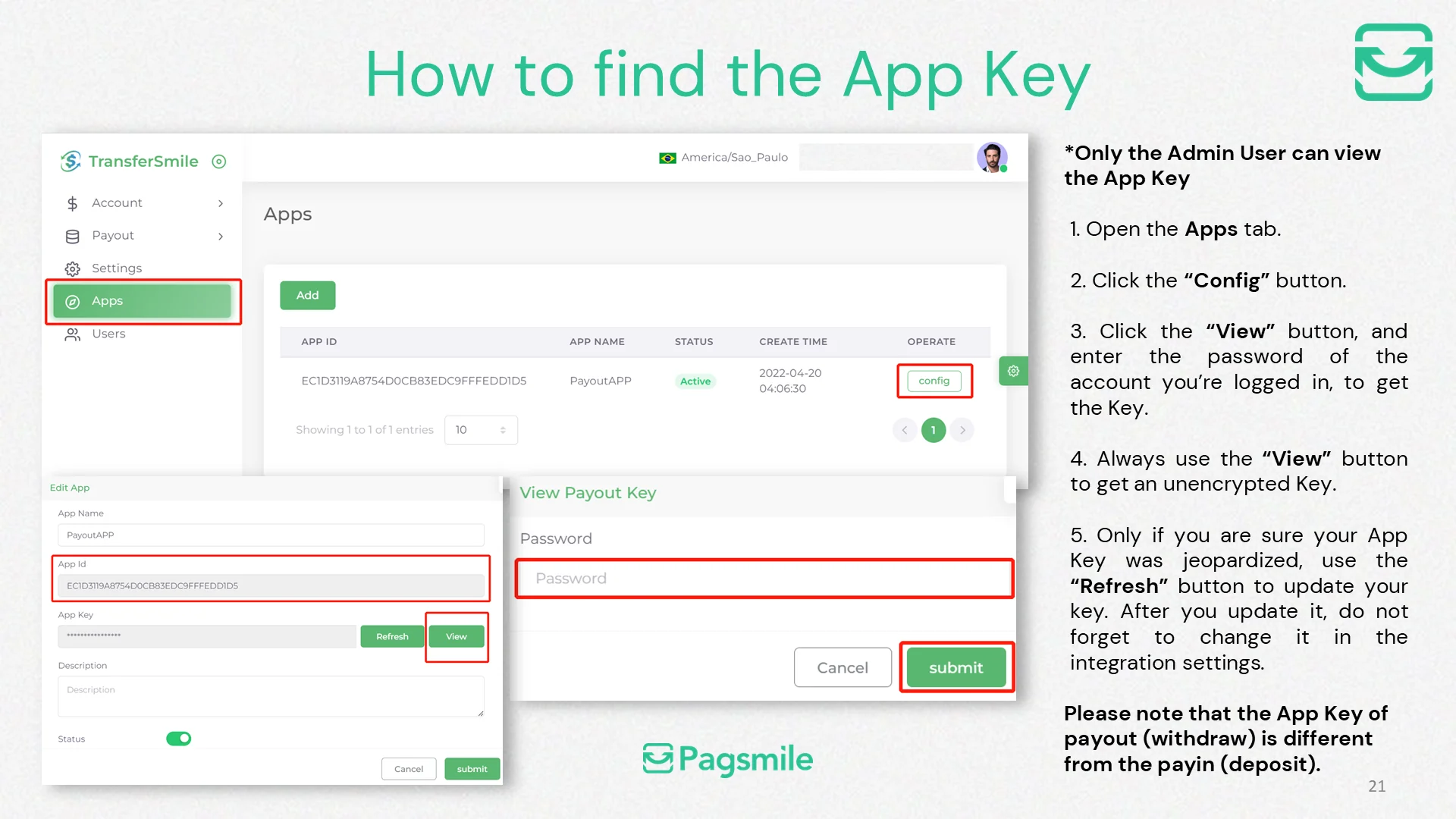
Where can I find my payout APP ID and APP Key?
Copy link ↗
24
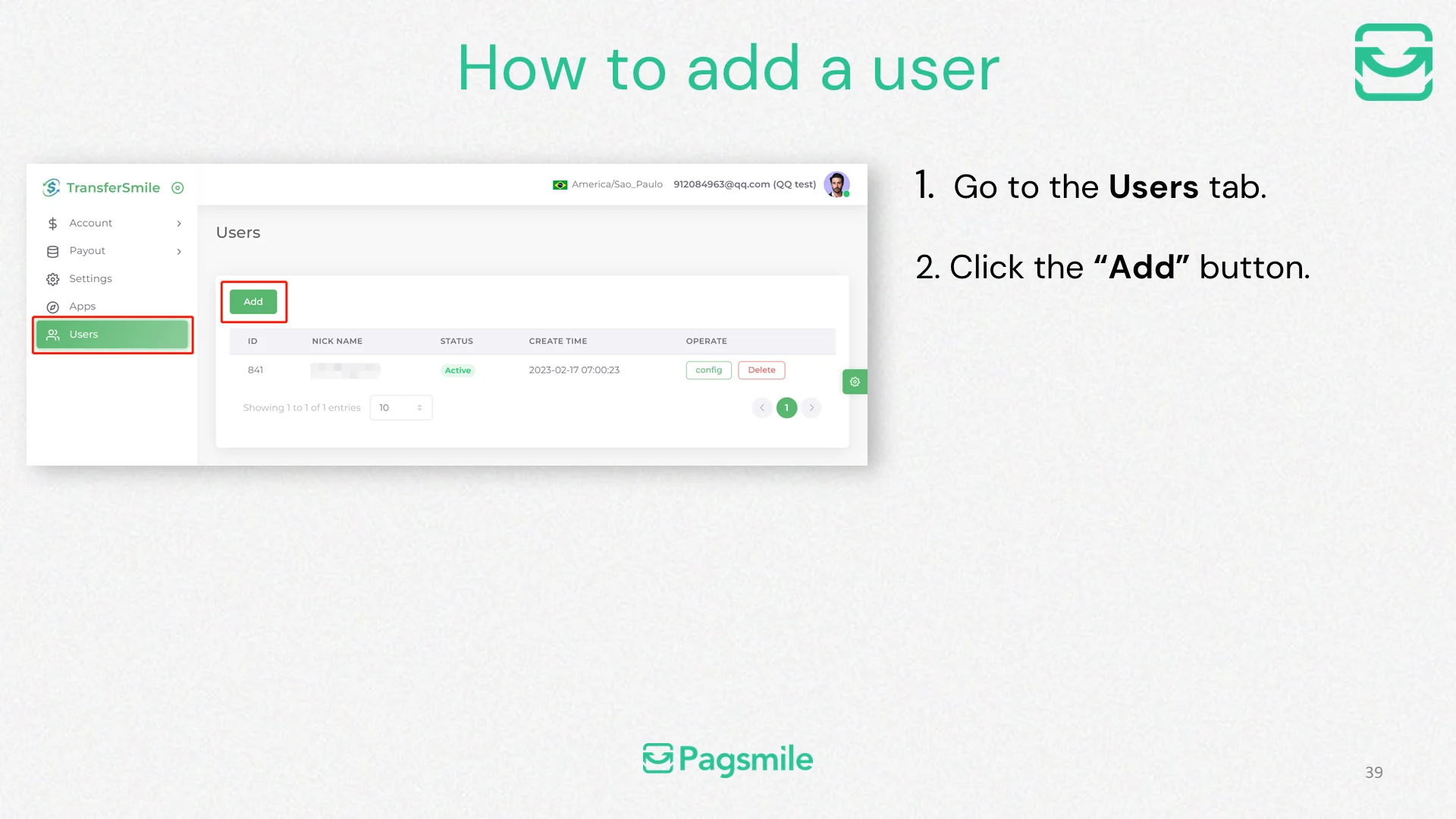
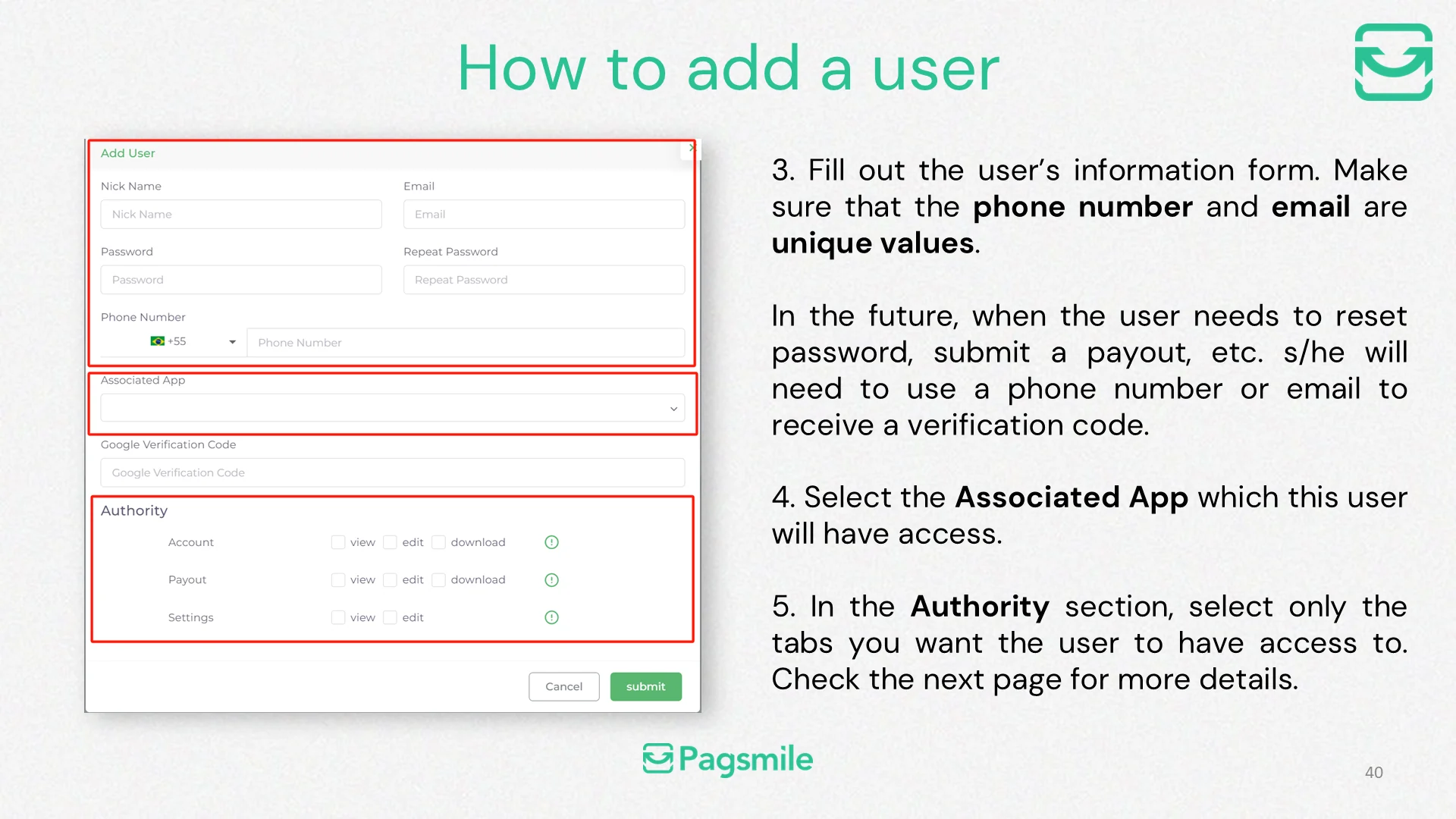
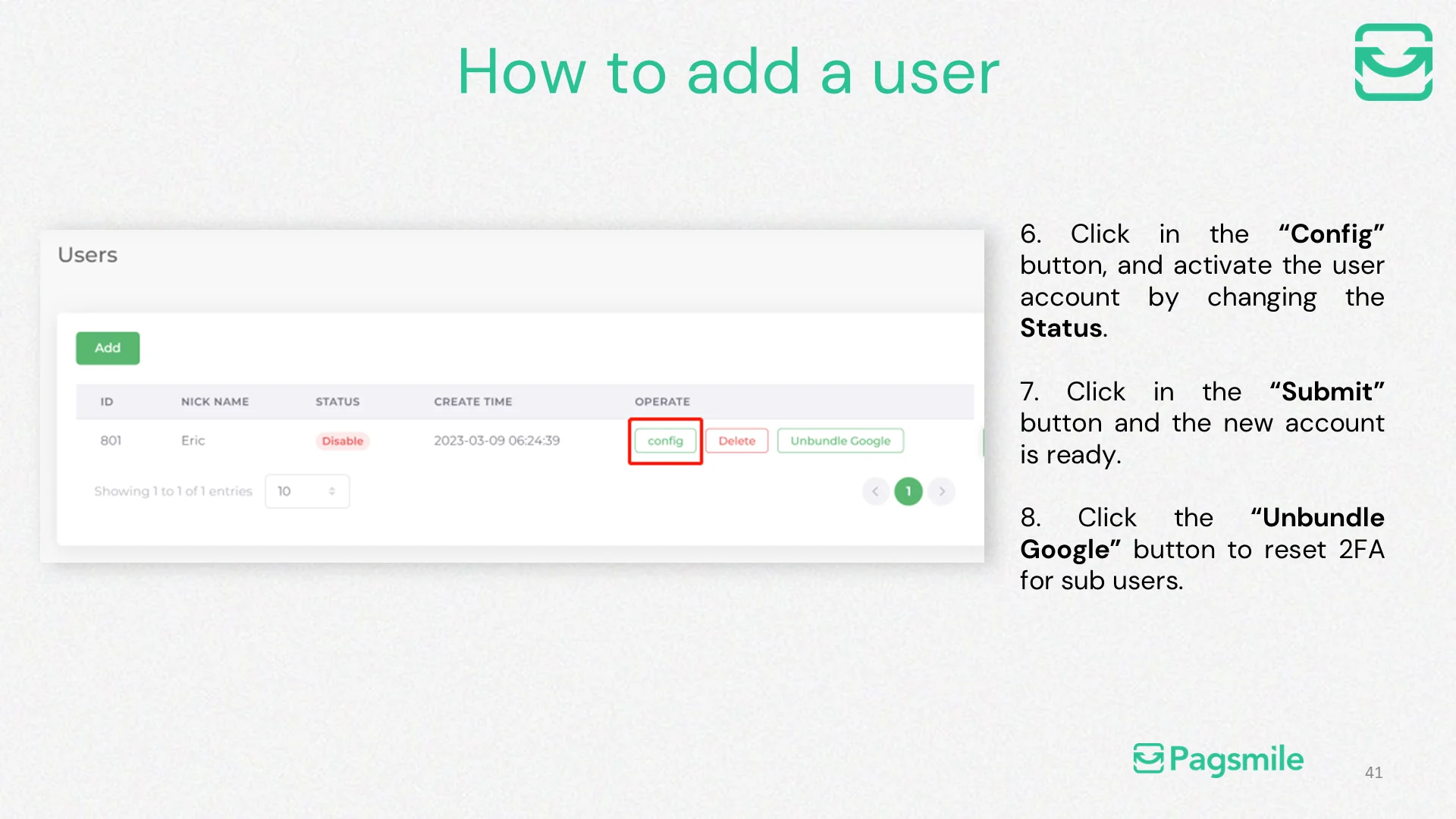
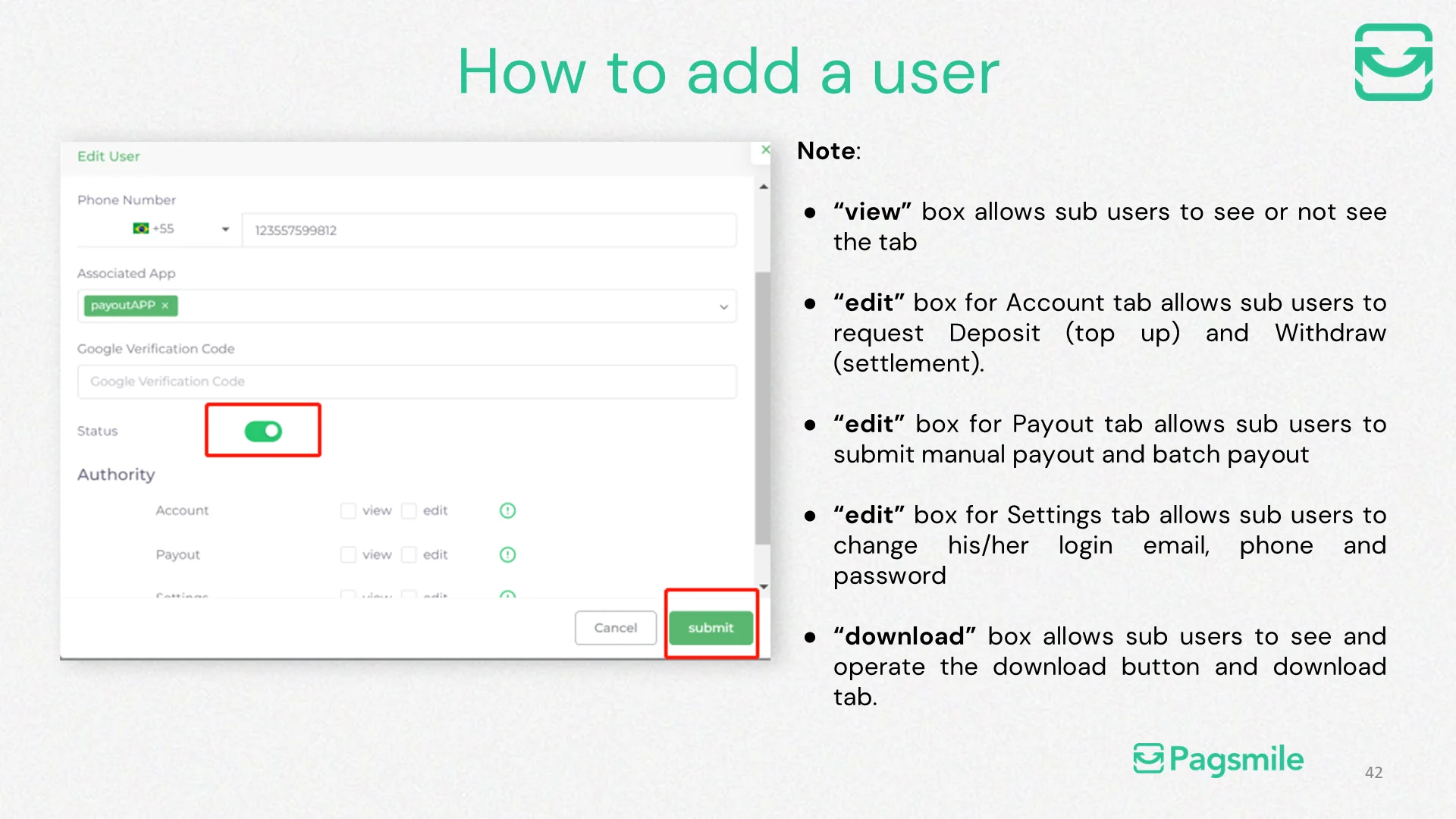
How can an admin add a sub-user?
Copy link ↗
25
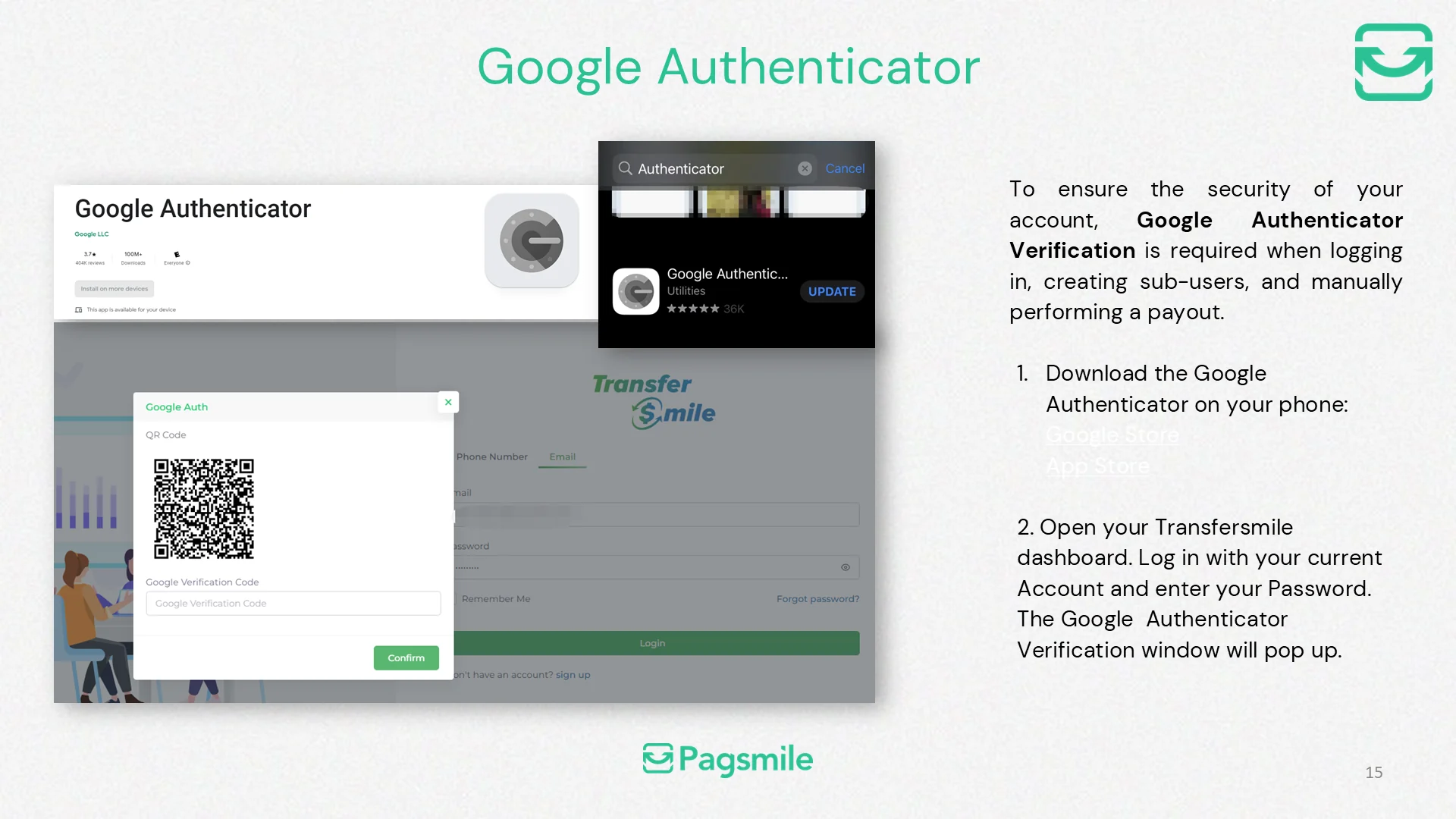
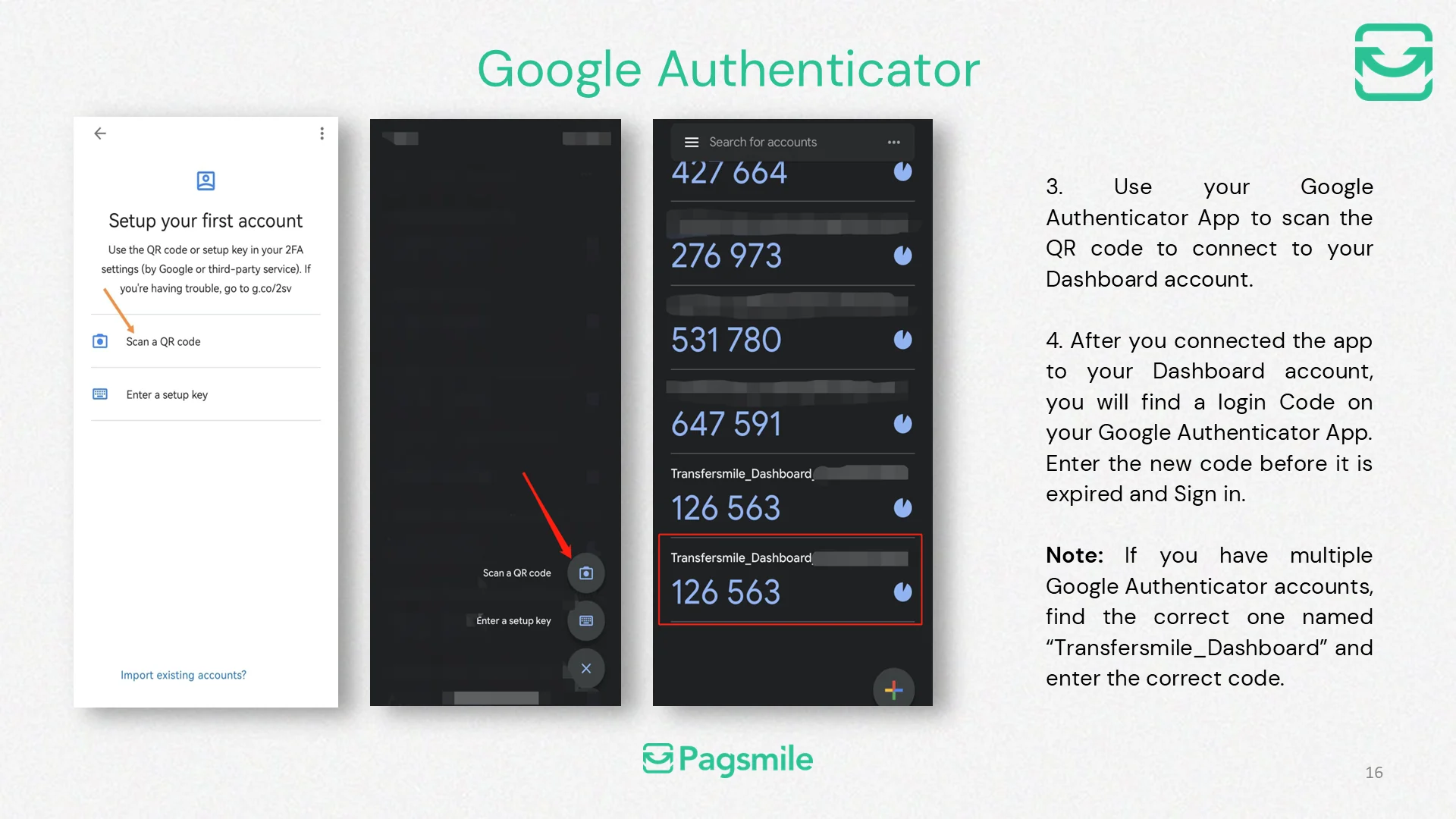
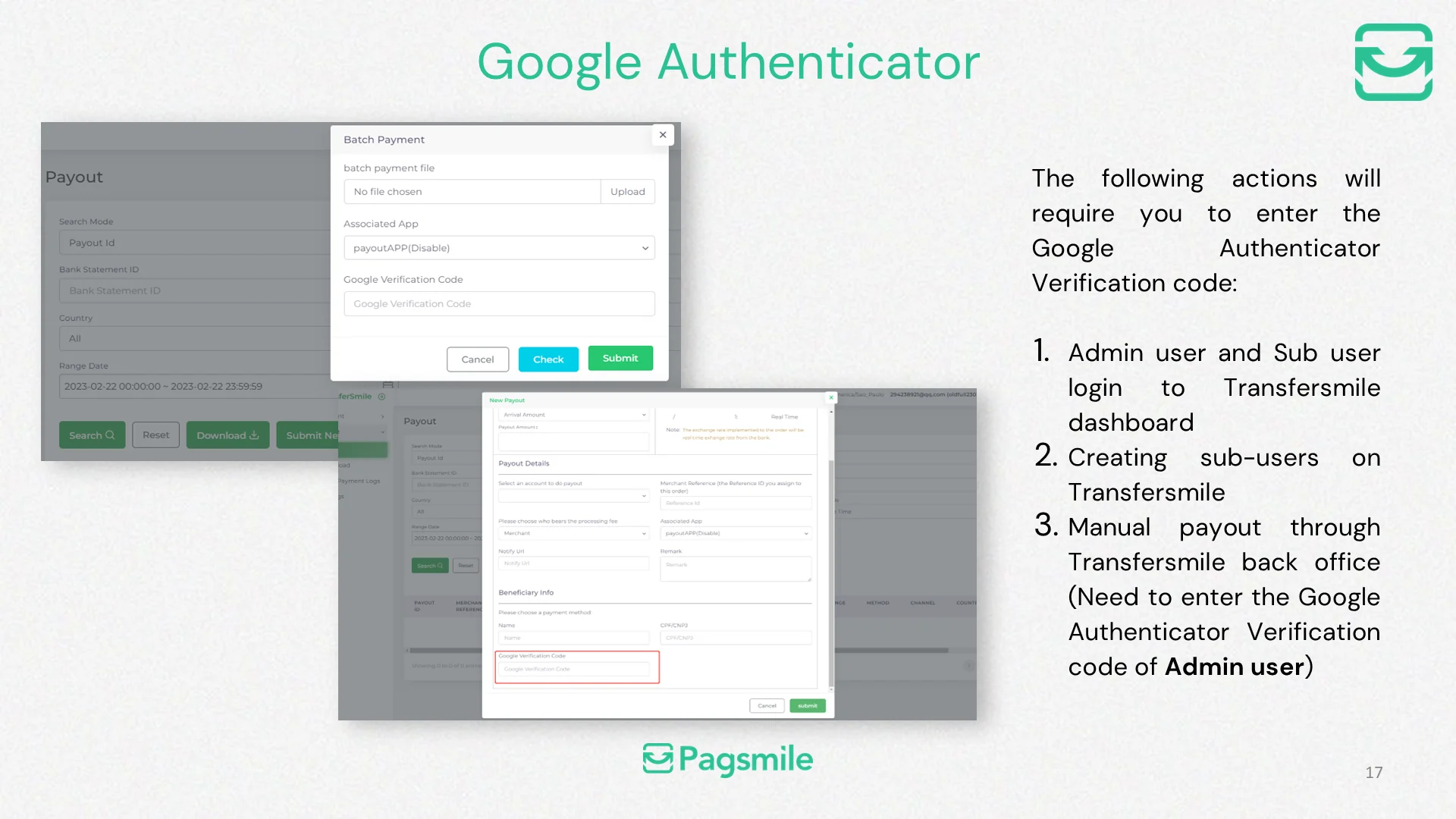
When is Google Authenticator required in the Transfermile dashboard?
Copy link ↗
26
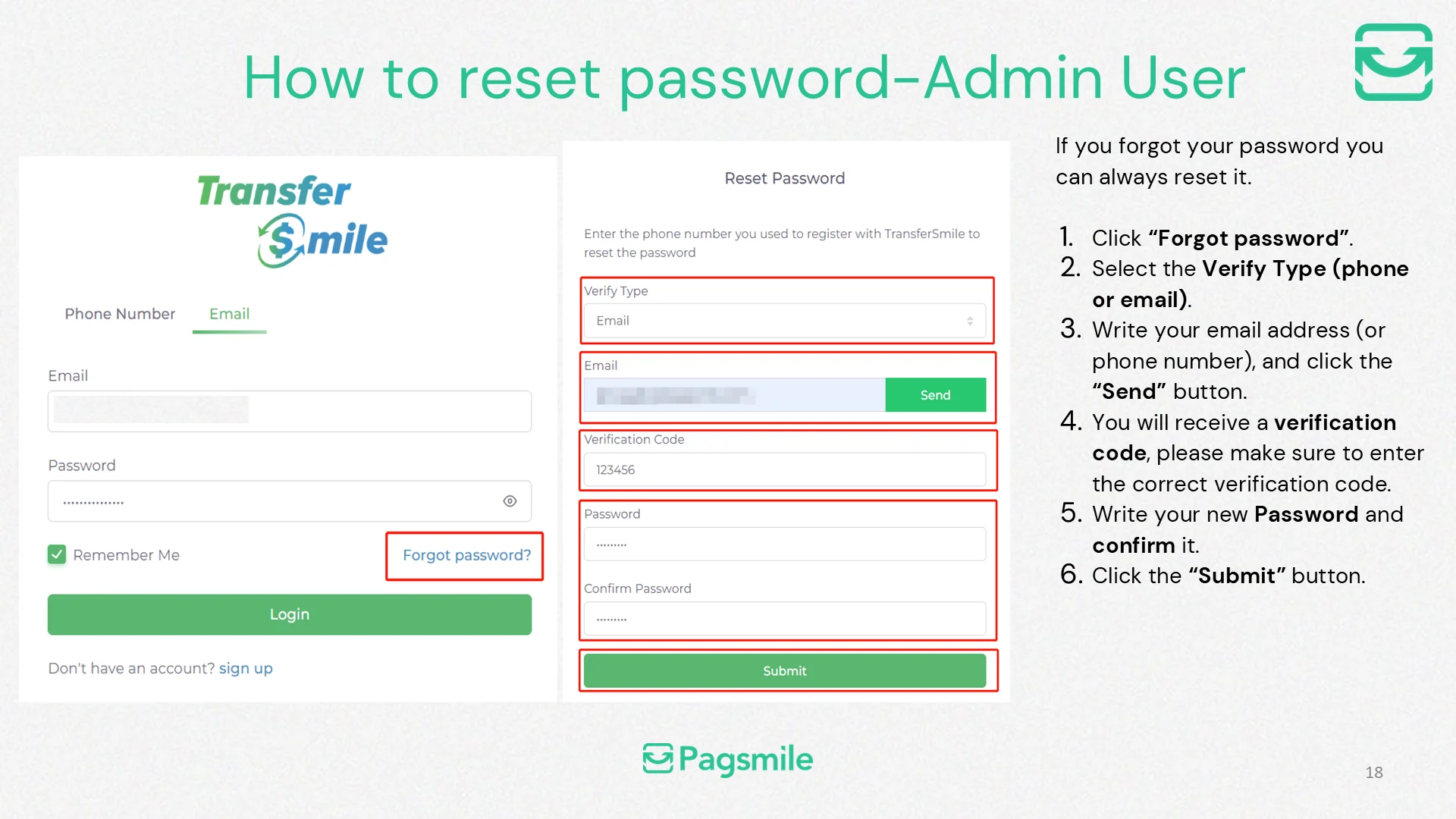
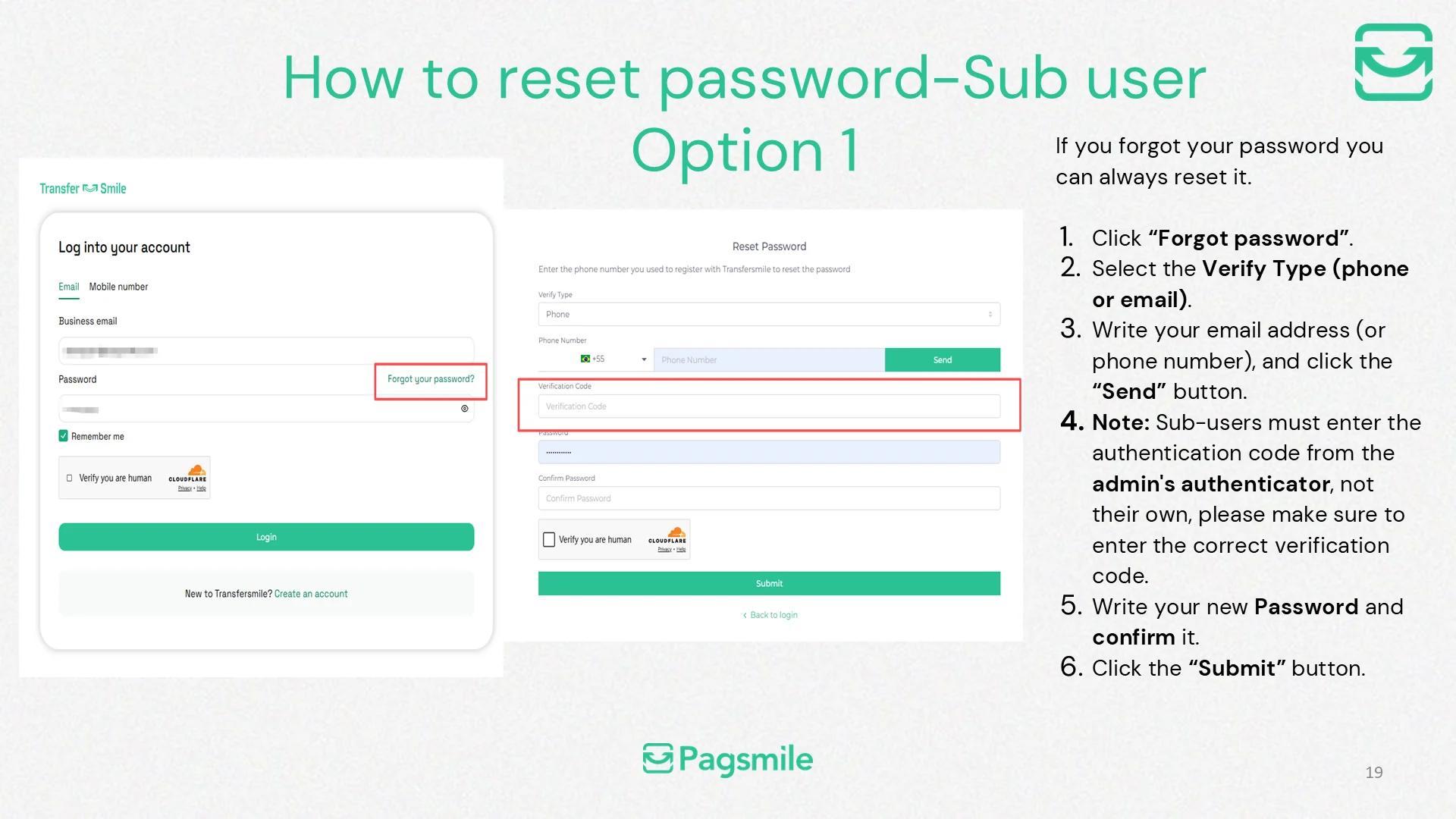
How can I reset my Transfermile dashboard password?
Copy link ↗
27
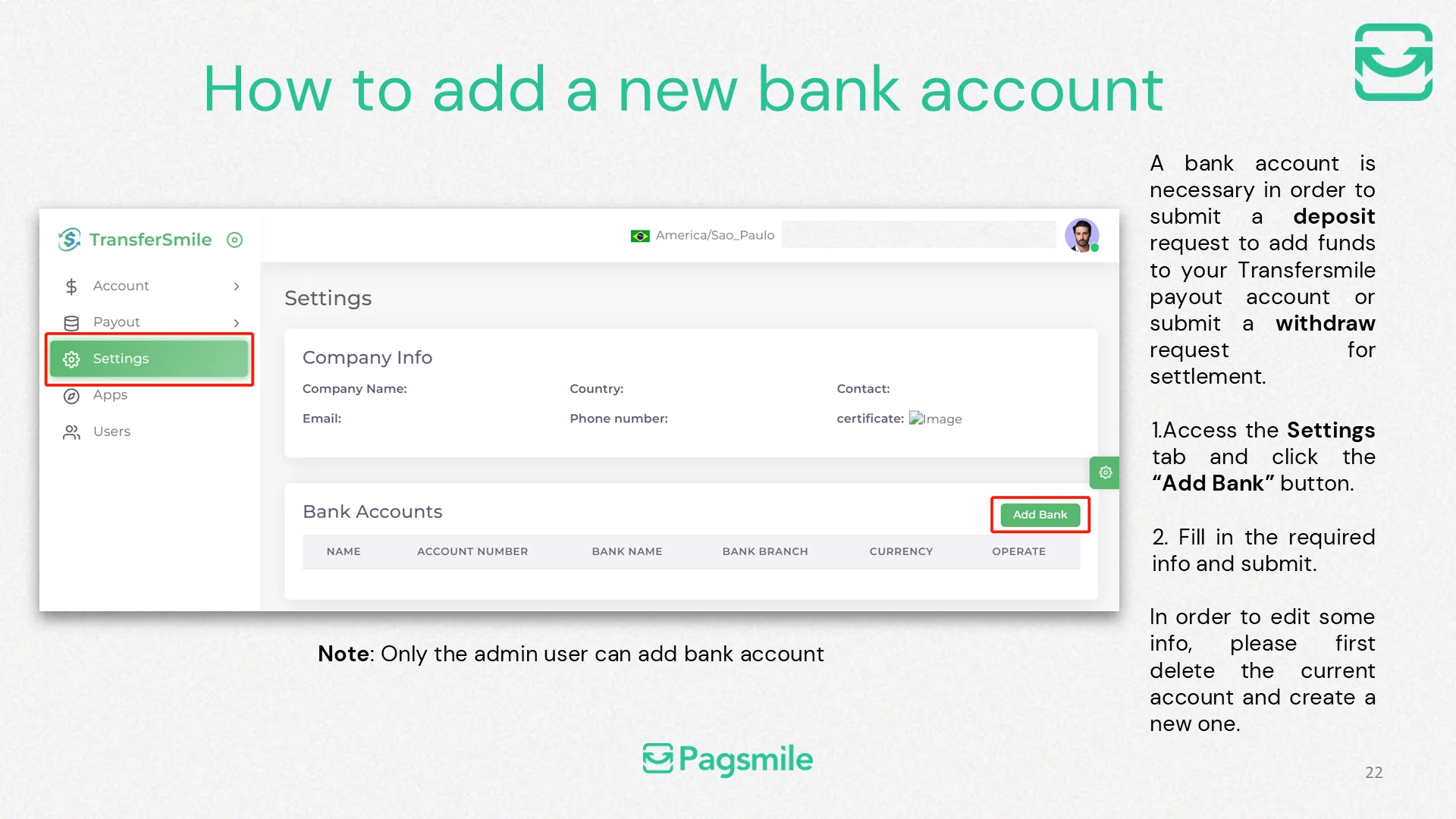
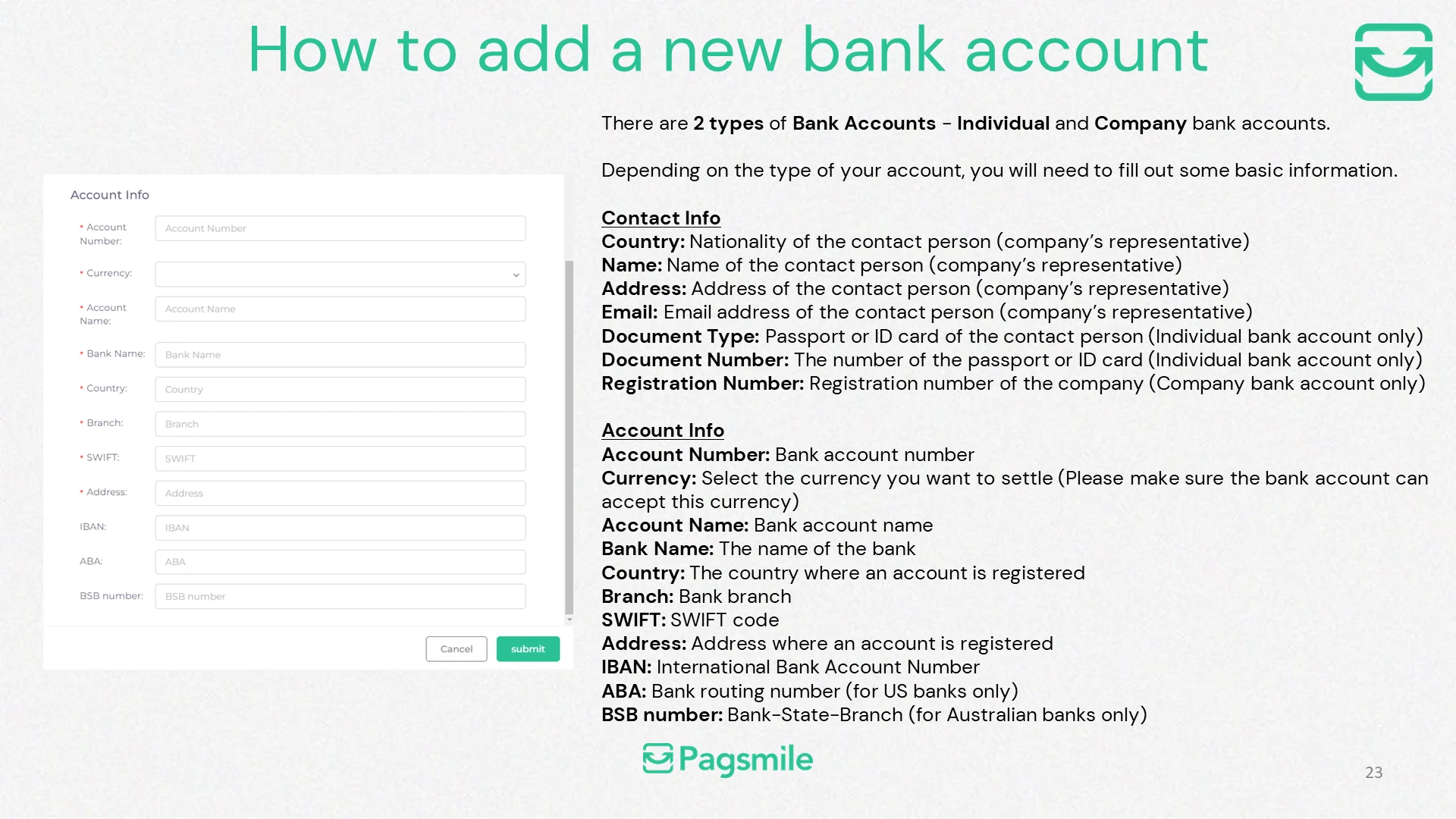
How can I add a bank account for deposits or settlements?
Copy link ↗
28
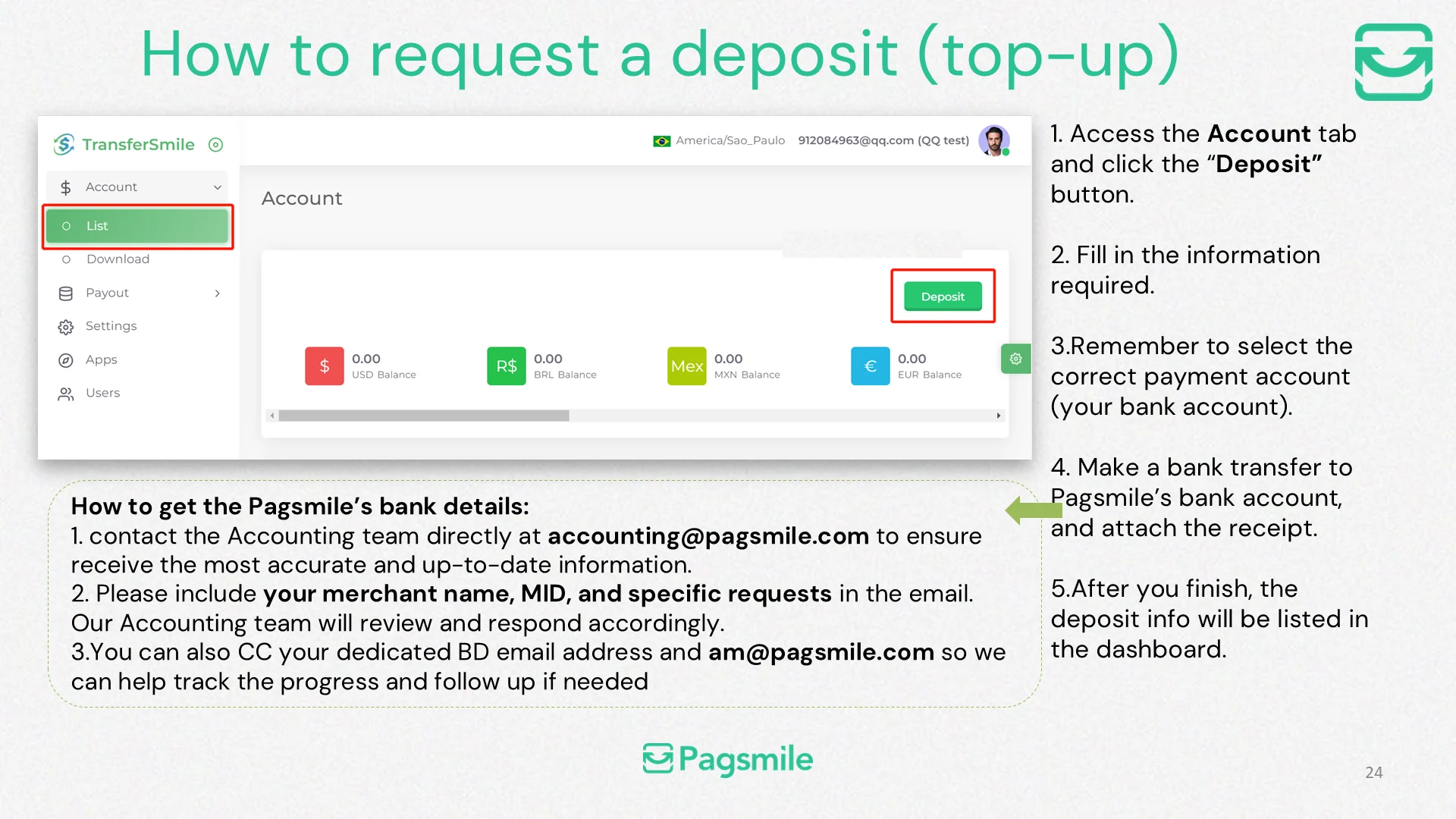
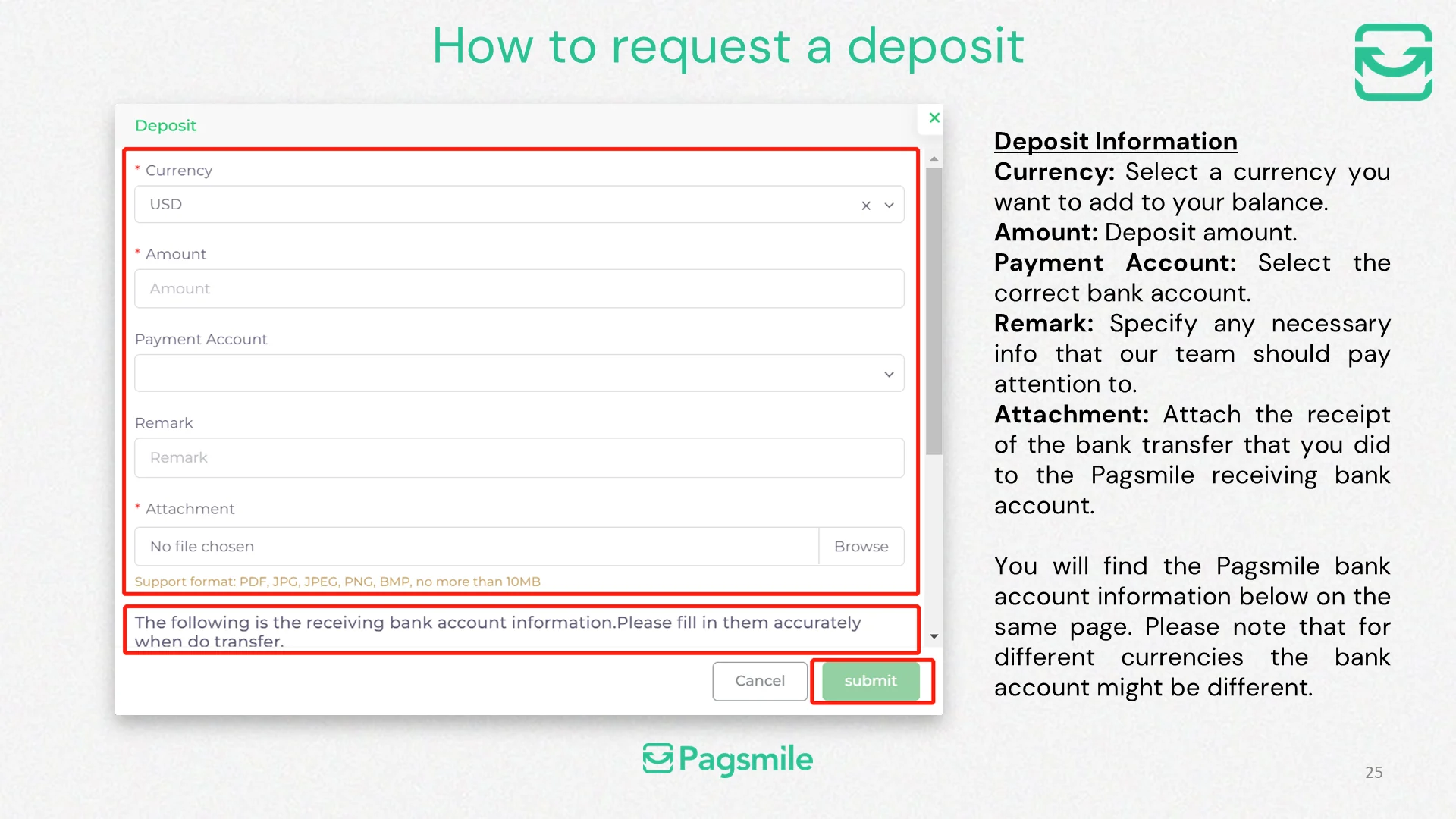
How can I request a deposit or top-up?
Copy link ↗
29
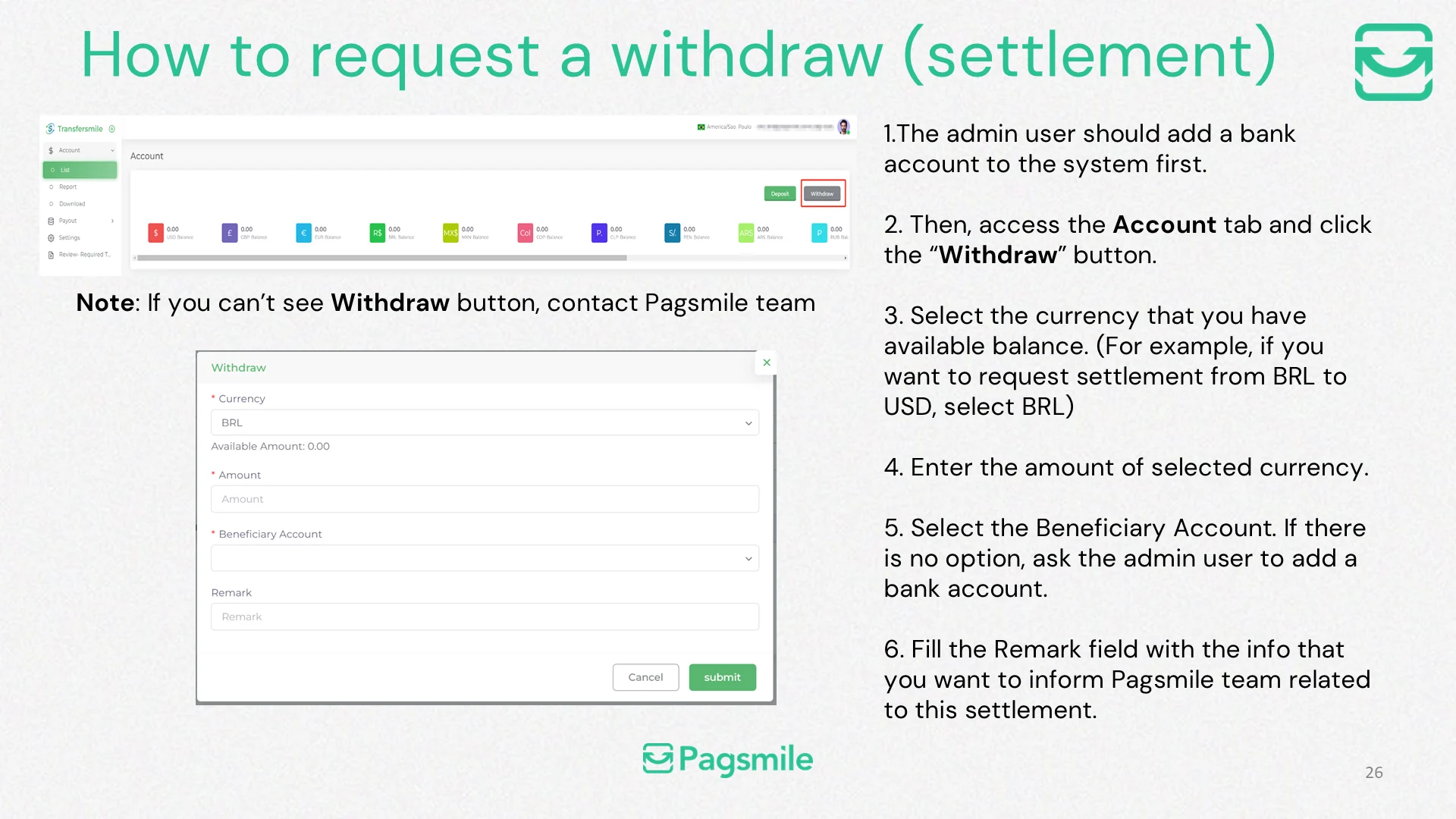
How can I request a withdrawal or settlement?
Copy link ↗
30
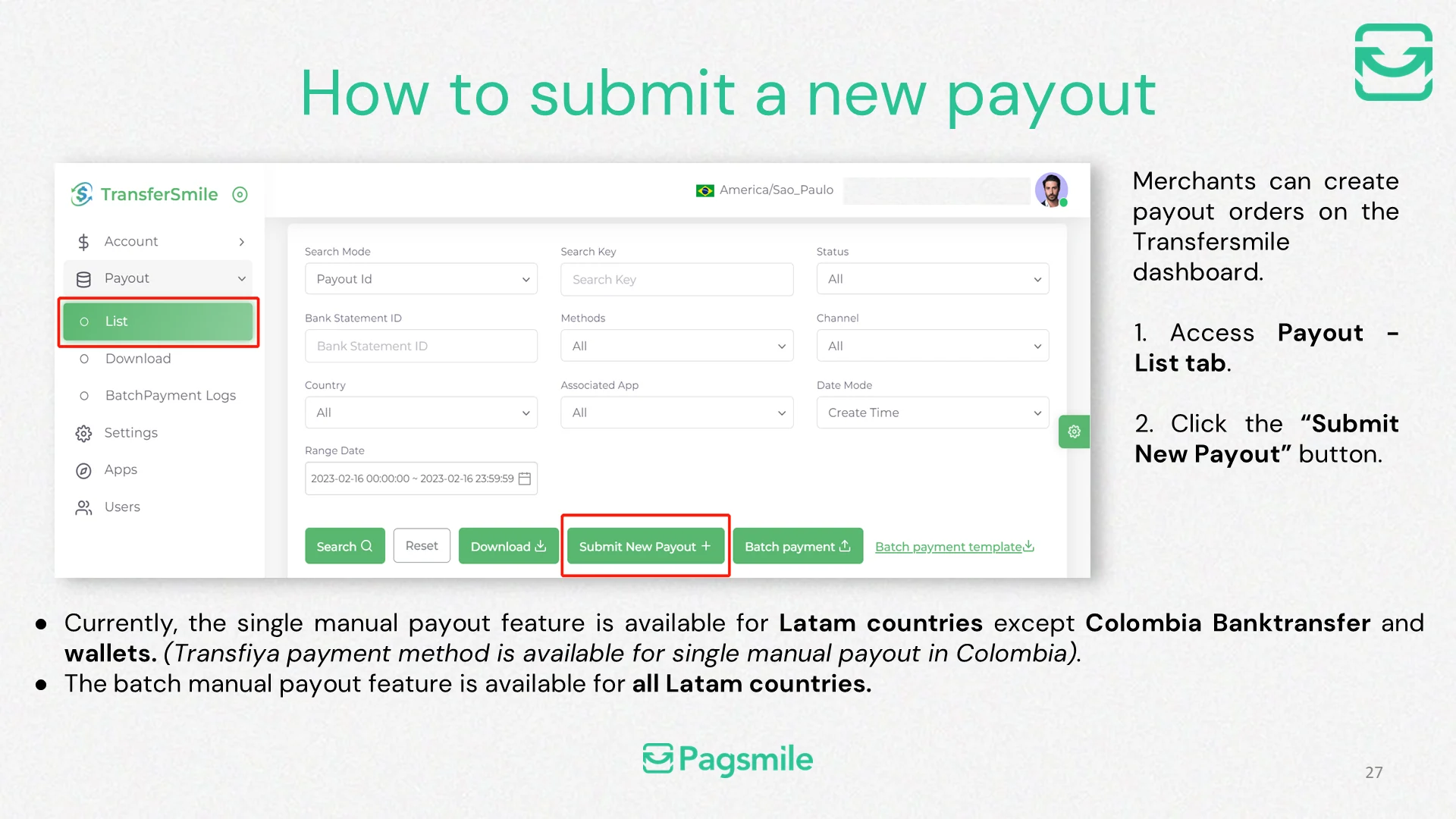
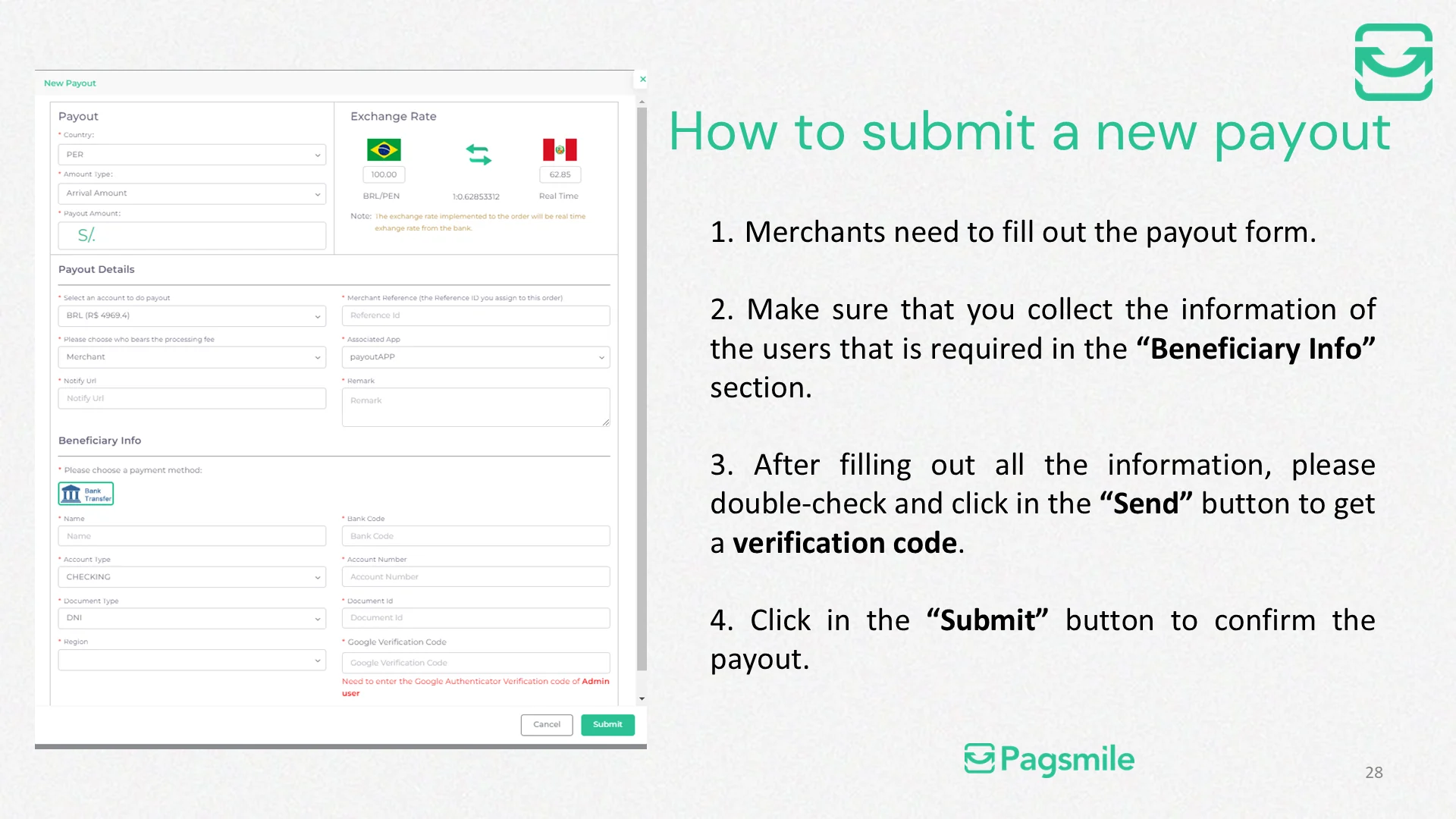
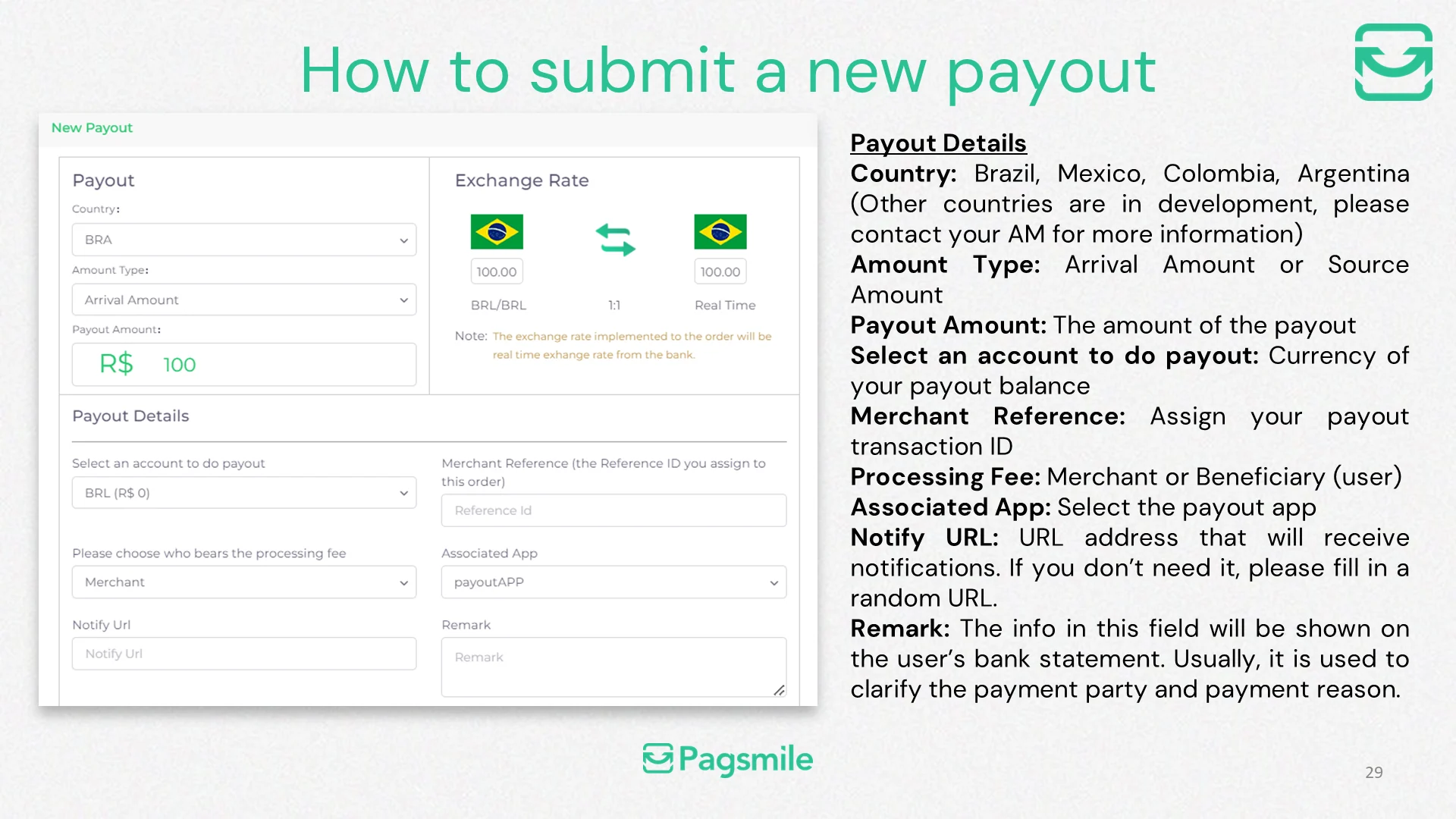
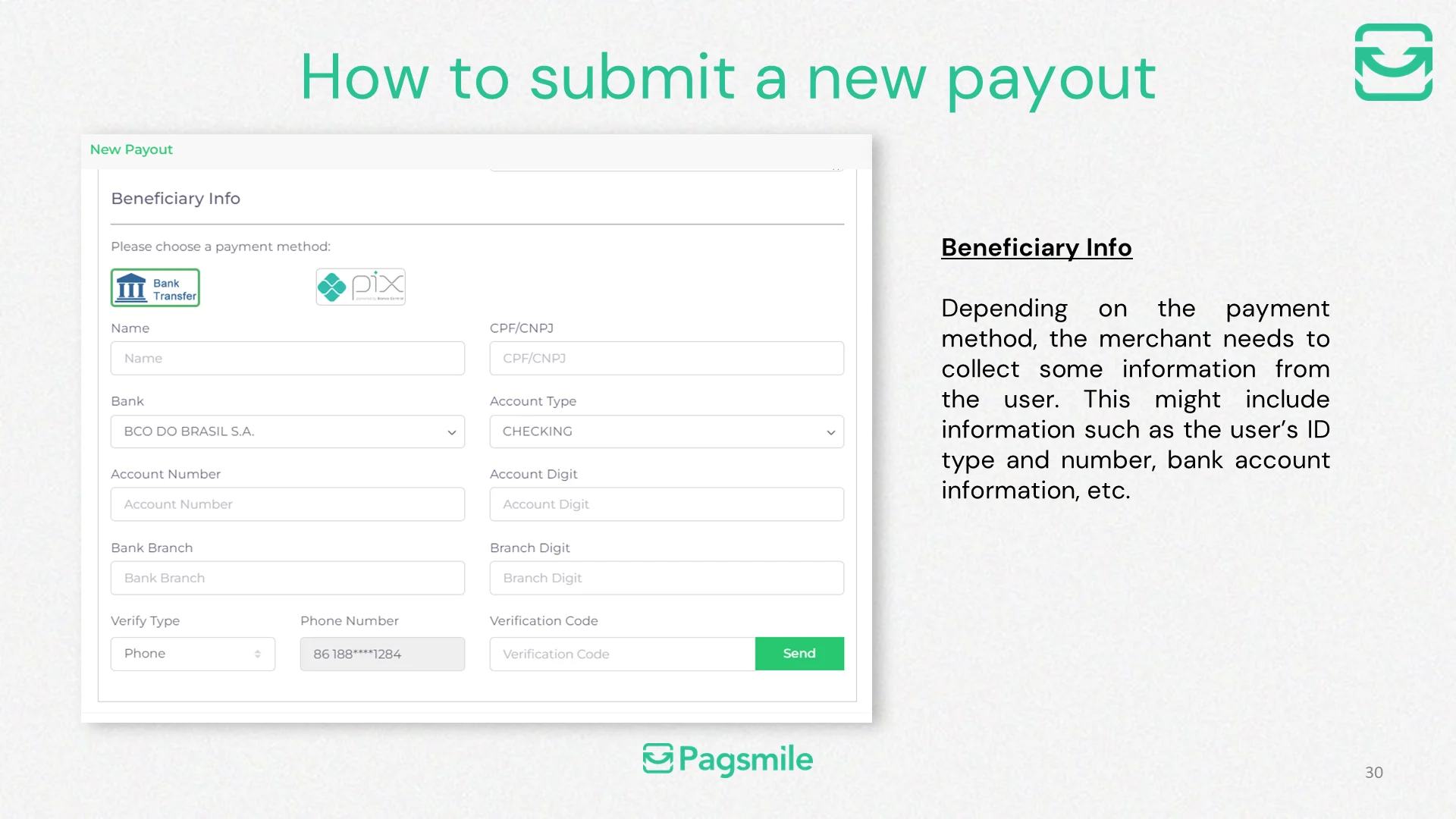
How can I submit a single payout in the dashboard?
Copy link ↗
31
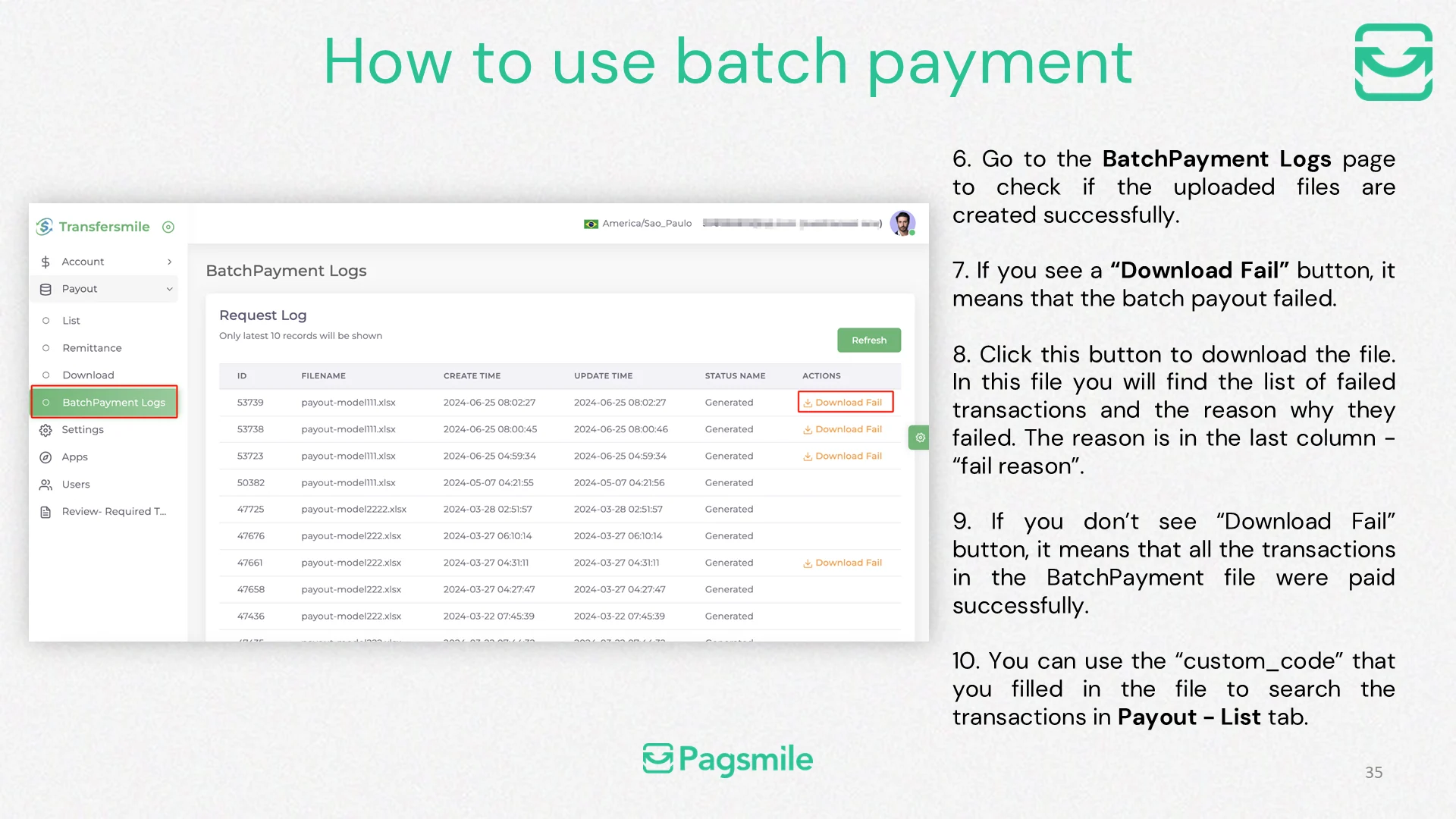
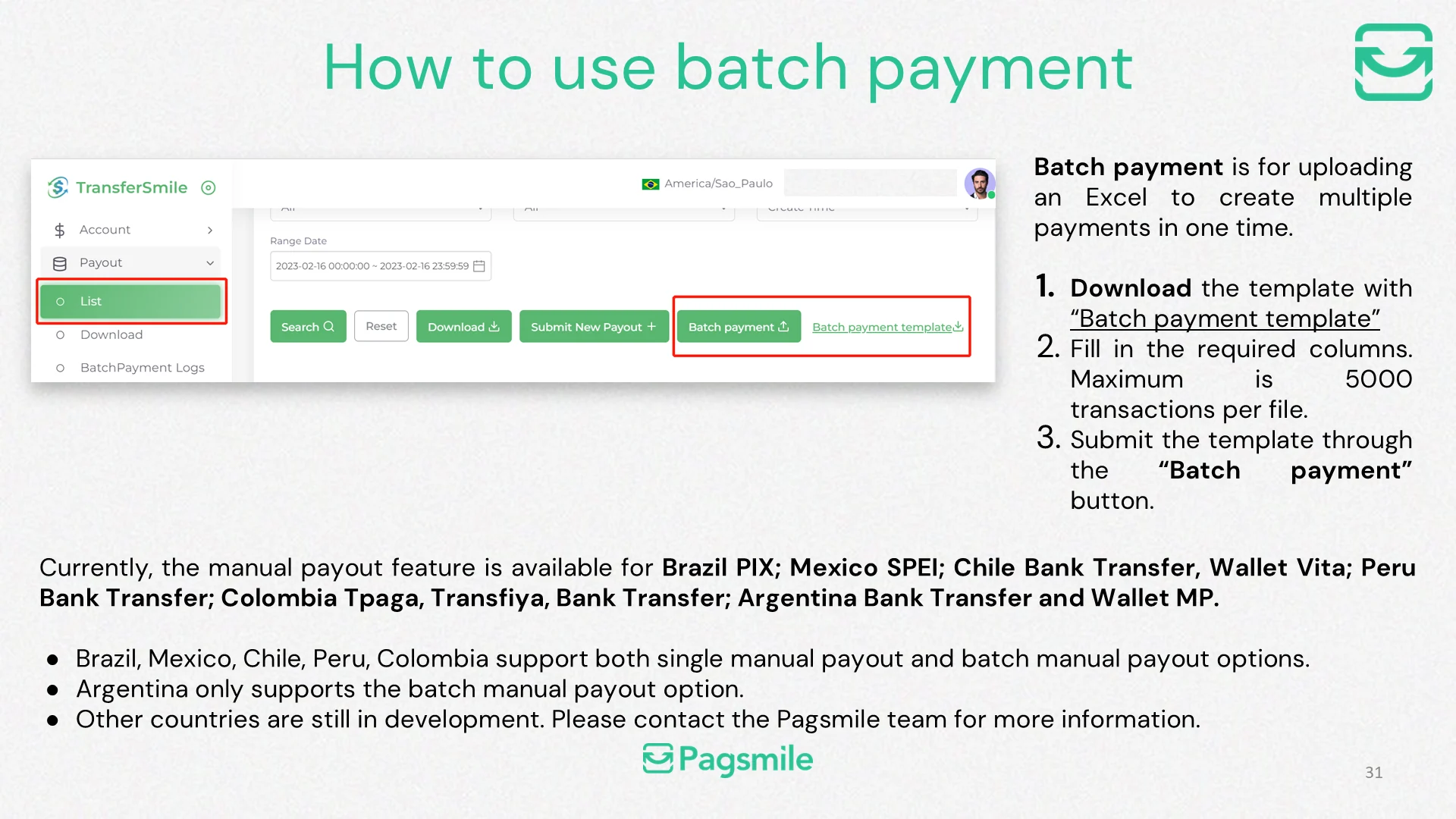
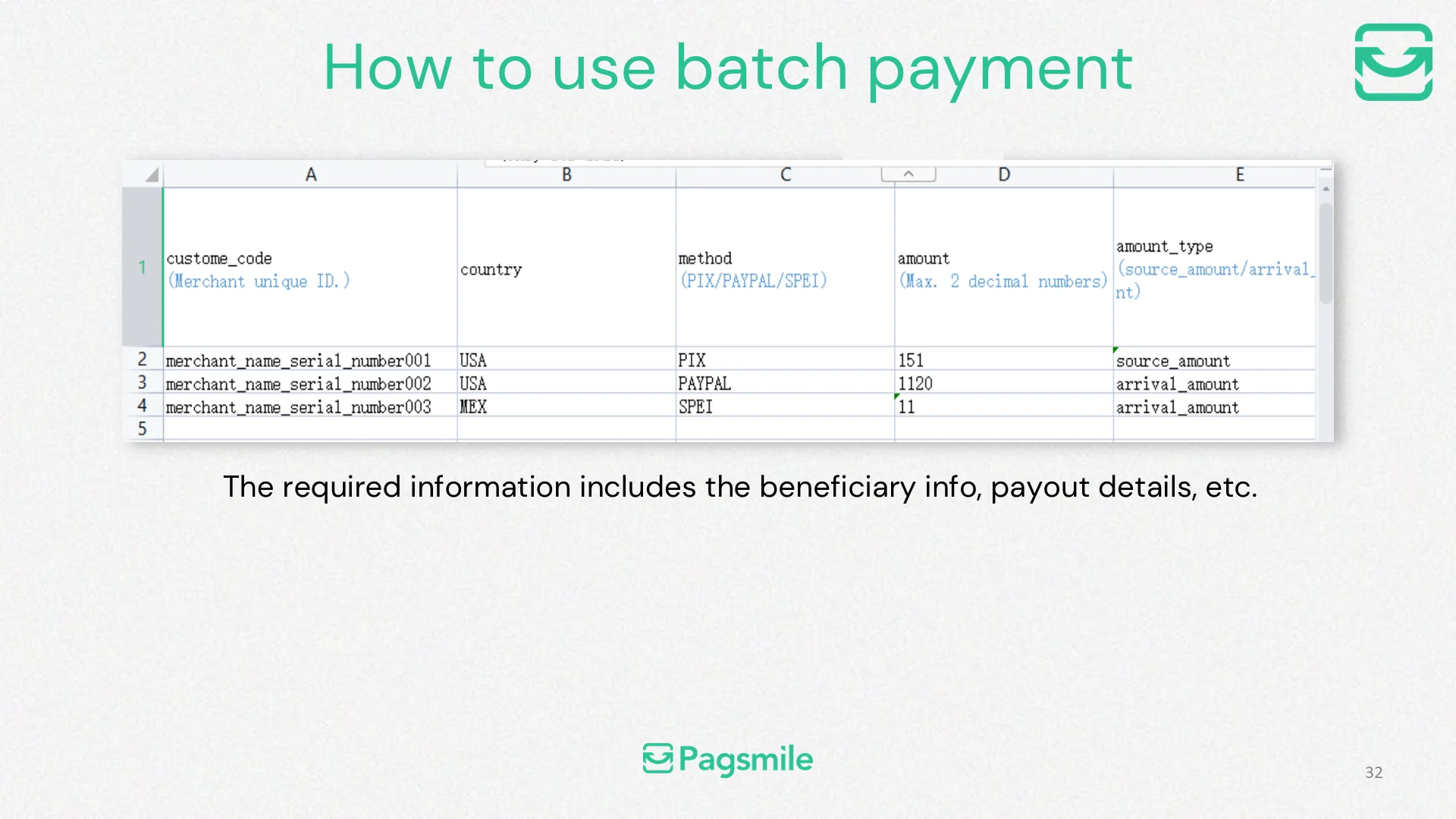
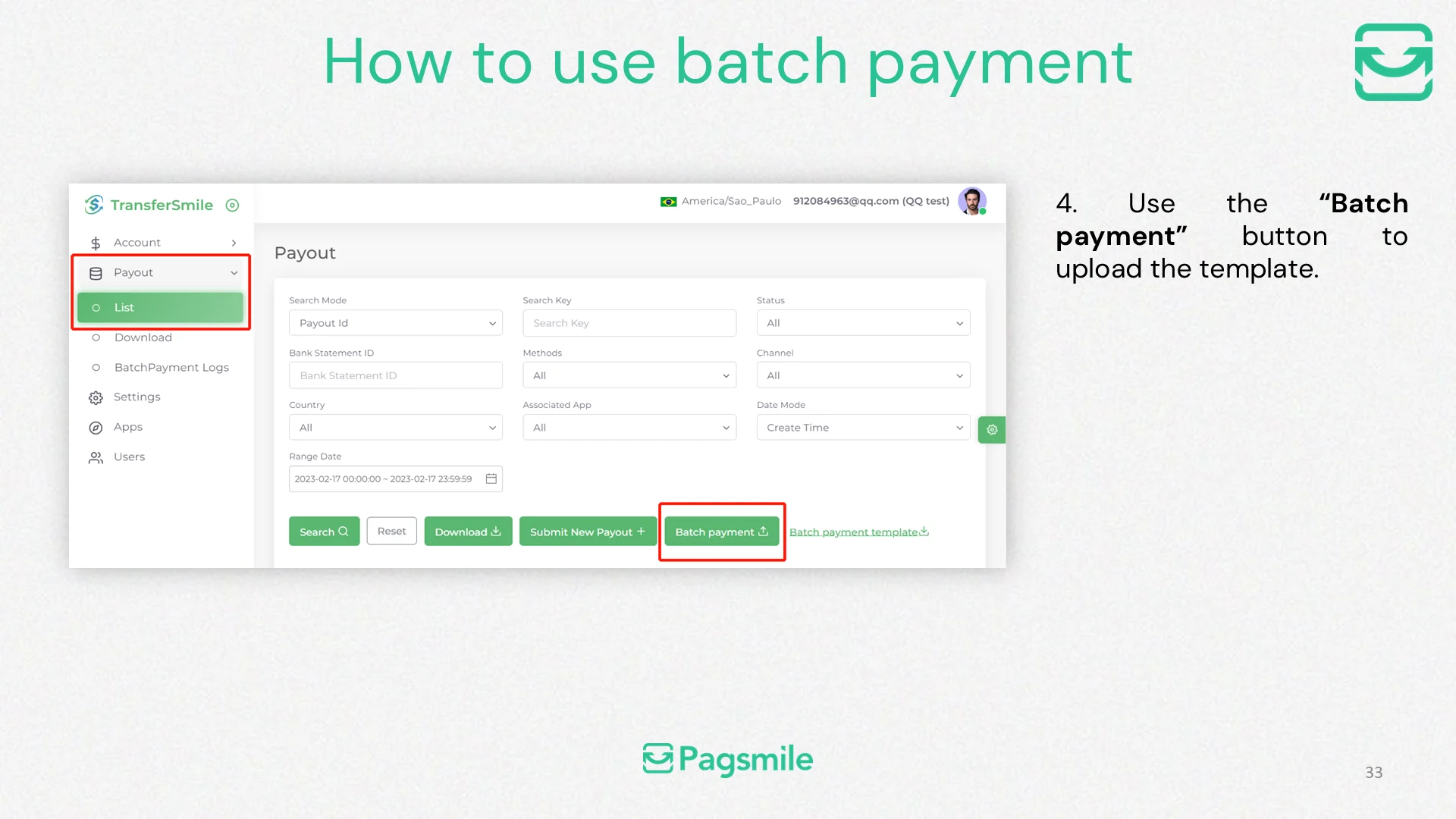
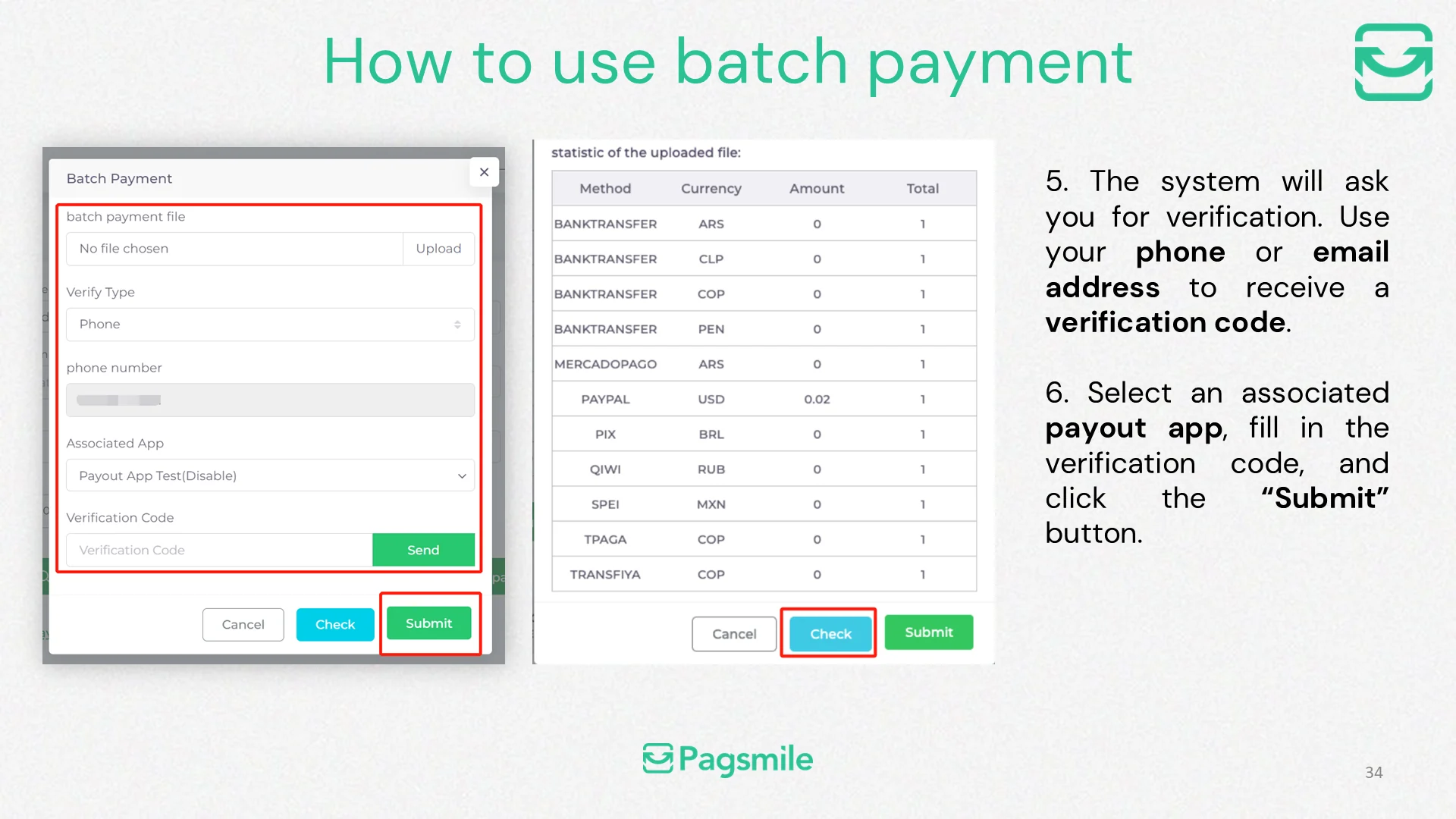
How can I submit multiple payouts in one batch?
Copy link ↗
32
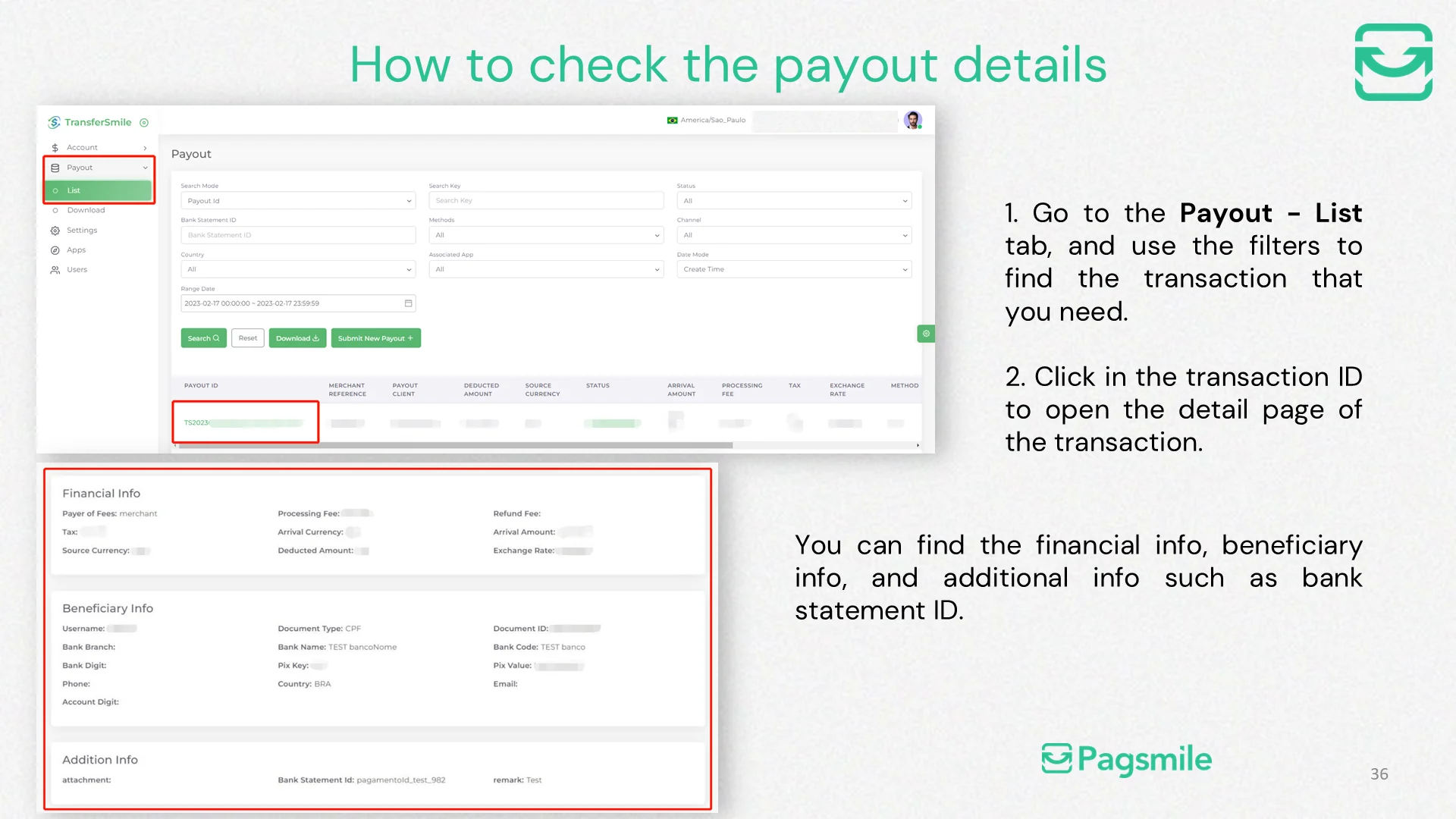
How can I view the details of a payout?
Copy link ↗
33
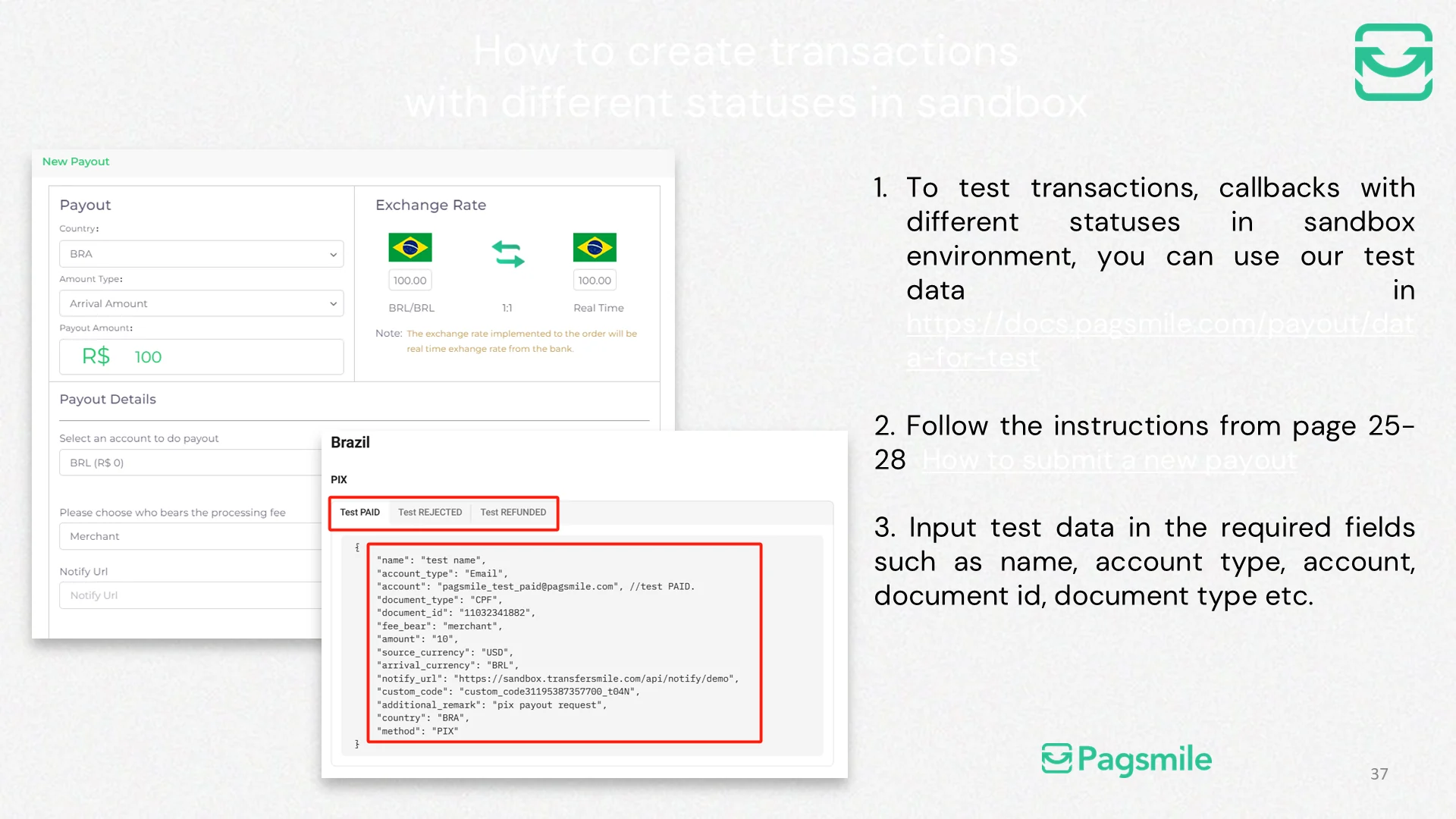
How can I test different payout statuses in the sandbox?
Copy link ↗
34
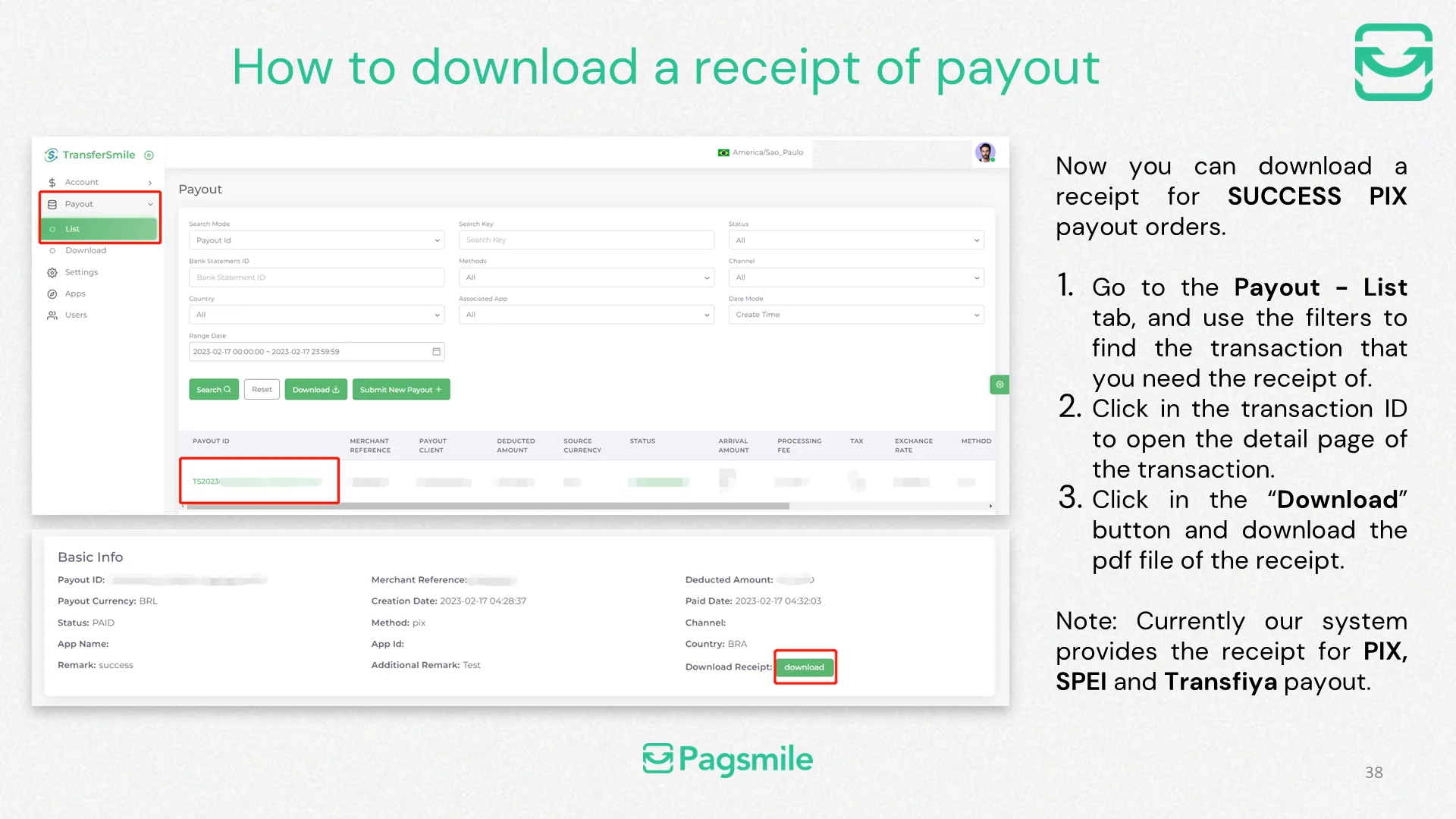
How can I download a payout receipt?
Copy link ↗
35
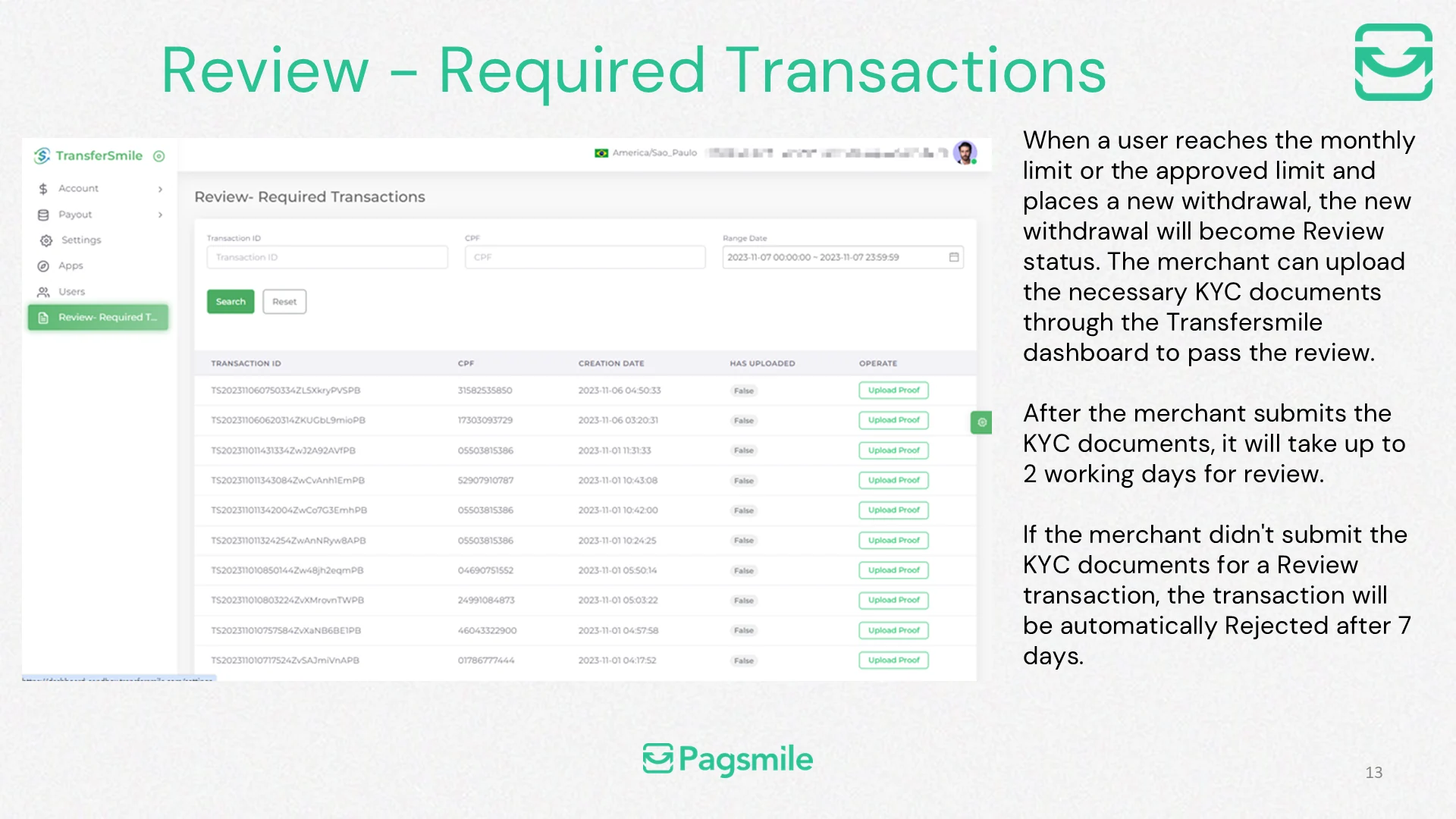
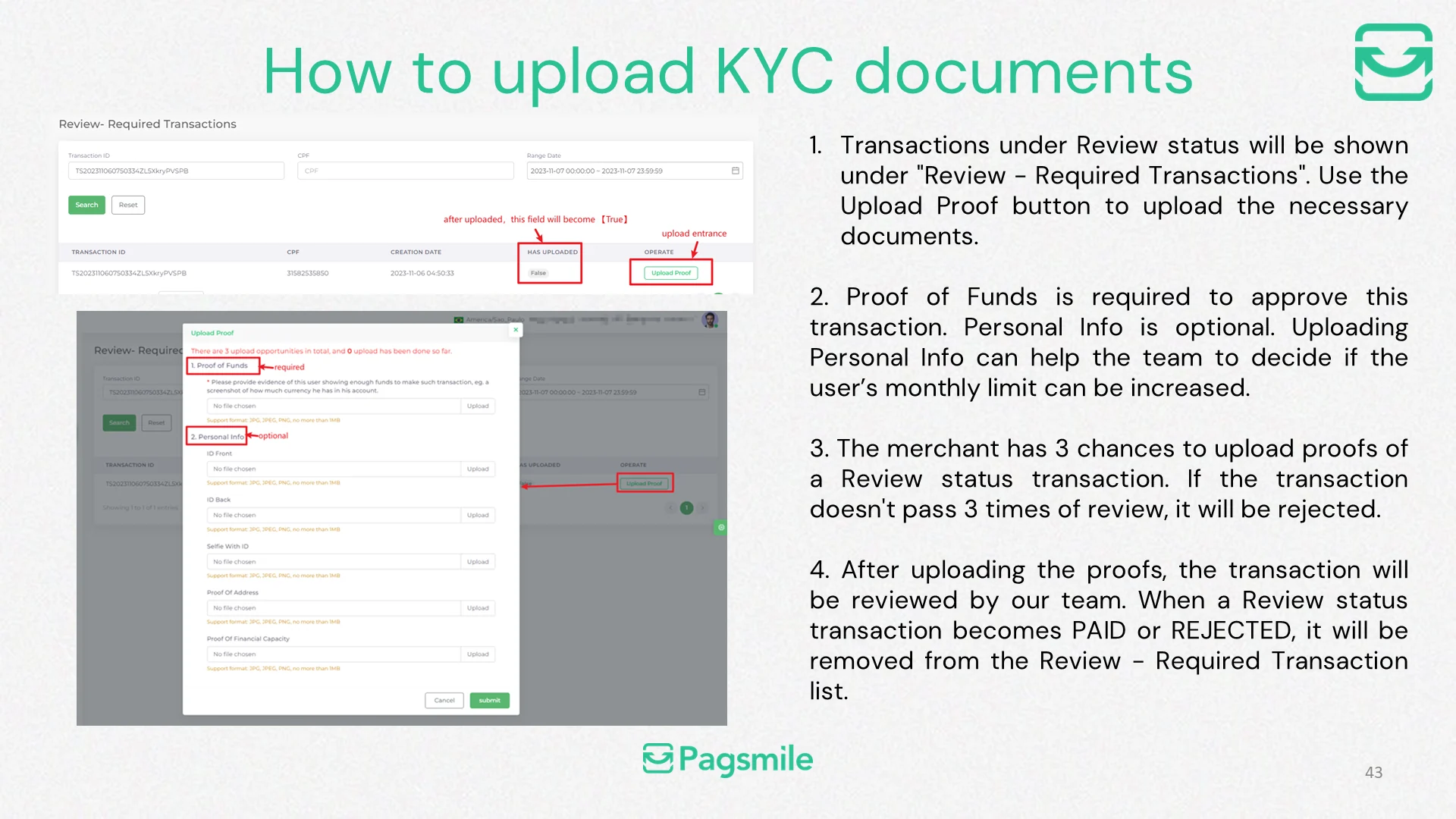
What should I do when a payout is under Review?
Copy link ↗
36
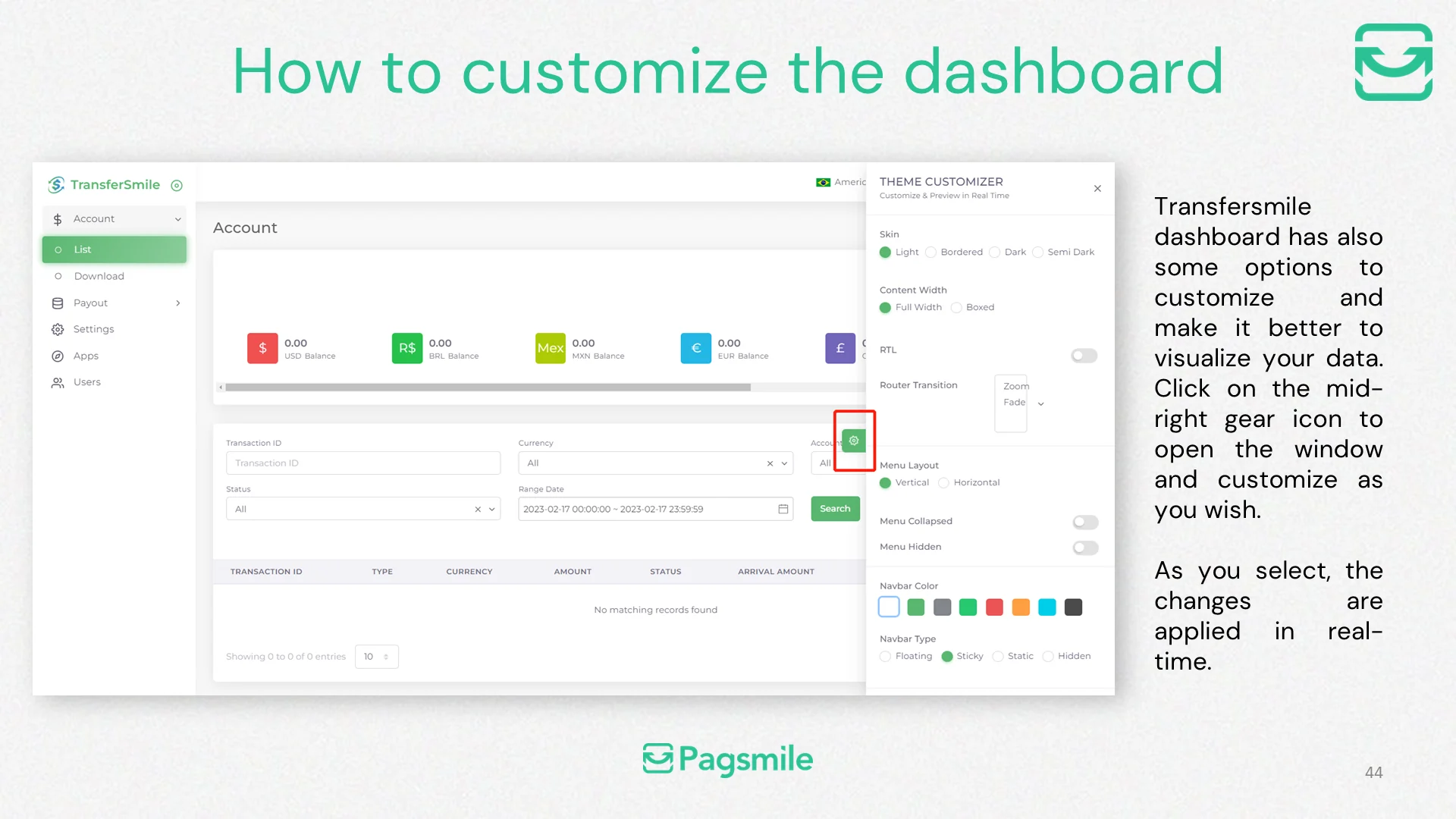
How can I customize the Transfermile dashboard view?
Copy link ↗